Being a Prusa user (next to my H2D) I miss one feature: Print queues.
From Prusa Slicer when I slice a job I’ll send it to “Prusa Connect” afterwards.
There I can choose if I
Print directly (I need to be sure print bed is clean)
Add to queue
Add to queue first position
If something is in the queue I can remotely (or locally on the printer) select “set ready” and the next job in the queue starts.
I can re-arrange jobs in the queue, I can re-assign filament colors in the queue, I can add jobs, that I have printed in the past directly to the queue.
Also the queue shows me calculated start and end times of each print.
This is working both via browser or via Prusa Slicer.
Is there something similar available for my H2D?
I really miss that…
EDIT:
This is what it looks like when sending a job from the slicer to the printer:
Not a queue in the same way but you can select send instead of print, or send all in the case of multi-plate prints. That will send them to the SD card where it can be selected for print after you clear the last print. The queue sounds like it makes it a couple less clicks to print the next thing from a list.
Thank you, @EntropyTamed, I guess sending it with multiple plates will neither give me an overview of what has been printed and what is still on the list, nor will it show planned start/end times so I can arrange jobs that they start/finish when I’m around.
But still, good idea, better than nothing.
If you send multi-plate prints then the “print again” option once the first print completes will allow you to select the next print to plate in the “queue”. You cannot unfortunately add to the queue like I think you can with Prusa.
Yeah, not as nice for sure. I’ve never used Prusa Slicer but seeing your screenshot makes me realize I would probably use this feature a lot if it were in Bambu Studio. I design and print a lot of multi-plate prints and being able to see and schedule plates visually like that would be nice. Right now I kind of just do the mental math as I go to print.
Before the Prusa I had an Anycubic printer. There were no such features. So I didn’t miss that feature back at the time.
But once you start using those nice little features you realize how much they make your life easier when you don’t have them anymore.
To be fair, the H2D makes my life in other areas a lot easier, just naming nozzle change as one example. But the print management is certainly something I miss.
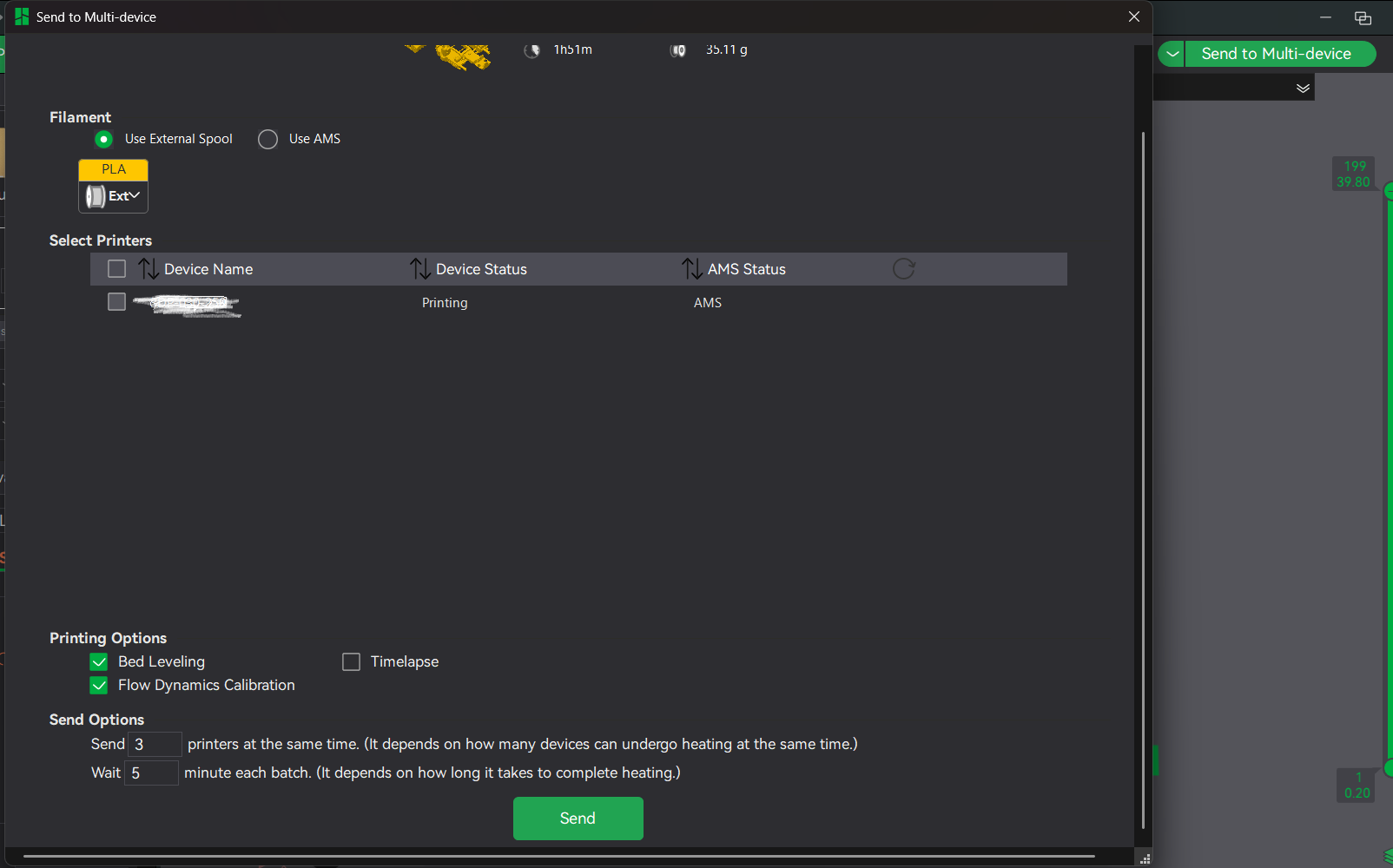
I think this is what the “Multi-device” tab in Bambu Studio was intended to do but sadly it hasn’t reach that point yet. Even sadder is that the H series hasn’t been added to it yet.
I noticed there is a “Bambu farm manager”. It kind of looks that it would cover some functionality of Prusa Connect. To my understanding you need to have a Windows machine running as server (in terms of a device that runs the farm manager server application), correct?
Has one of you already used that farm manager with the H2D? Does it have any disadvantages compared to direct printing via Bambu Slicer (besides that you have to load the files manually with the farm mananger client application as it is not integrated into Bambu slicer)?
So interesting update, I added a fresh H2S to the work fleet and it showed up in the Multi-device tab today. The H2D at work hasn’t ever listed. Perhaps the problem is fixed? Maybe I’ll try re adding the H2D. Thanks for the heads up.
I apparently spoke too soon. In an apparent ironic twist, my H2C dropped off my list while I was typing this out and won’t even show up to be added again.
I keep coming back here when I get a notification about new posts because I think/hope someone has a nice solution or someone wrote something about the Bambu farm manager but then I keep realizing it’s the “H series in Bambu slicer multi-device mode” discussion and not related to my question in this thread and it makes me sooo sad
I mean the Multi-Device tab is one of the options available to manage Bambu device prints, which is what you are looking for. Having a discussion on whether it’d work for your H2 series printer or not seems like something you’d want to know? If having relevant discussion to help you find a solution makes you sad, you must be sad often my friend.
It’s a client and server solution for managing multiple printers on a farm. The server is not something you’ll want to run on the same PC you use Bambu Studio, you’ll apparently have port conflicts. I don’t think many users are going to want to set up a separate server just to do this, so you may not get the discussion you are hoping for. Though I may set it up at some point since I have the infrastructure at home to do it and it’s probably a way better option than the poorly executed Multi-Device tab.