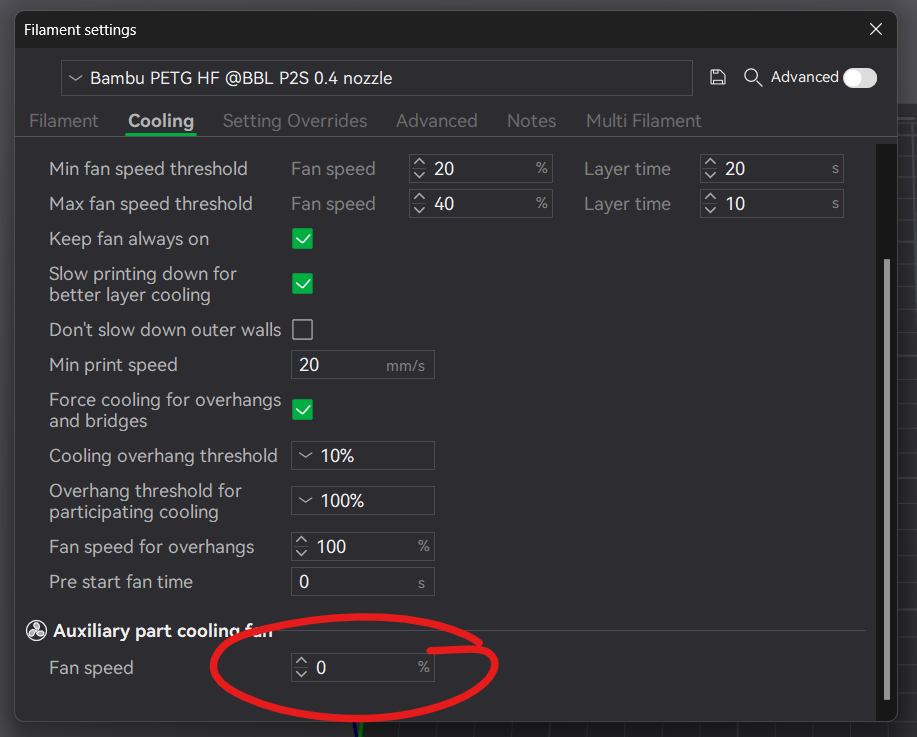
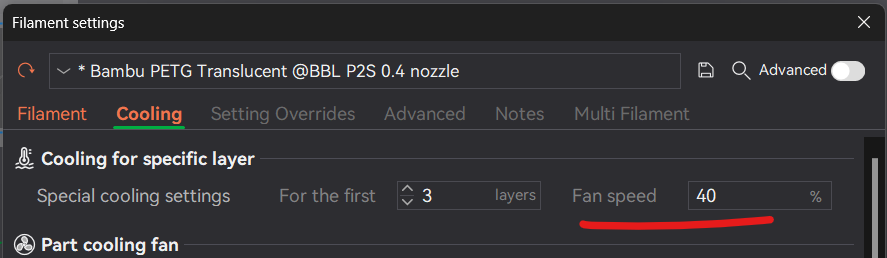
I noticed that the settings are all super inconsistent even during my tests. Even if its set there to 0% it will still enable it at some point after the initial clean and nozzle probing stuff is done
Its especially infuriating when you have some PLA models that also warp easily, setting the aux to 0% doesnt give you the guarantee that it will stay at 0%, it sometimes turns on and stays at 40%.
That’s why, for the graphs above, I also checked that all fans are disabled/ or enabled and changed those settings via homeassistant, when the setup/calibration was done and the first line of the model was printed.
And assumed that whatever is configured in the slicer profiles is correct and the intended setting and the reason why they currently wont be properly applied is a bug on my end or with the current version.
Also that is one of the reasons why I even did the 0% fan and chamber fan petg test-run, because both PETG profiled have all of them disabled there.
As far as redoing the tests goes, I’m currently out of energy for them:sweat_smile: I spent nearly two weeks on them (well after work atleast) and I now roughly know how good the airfiltration performs, which is enough to satisfy my curiosity and was my main motivator to do these tests in the first place . Sorry
So after some tinkering around i came to these conclusions so far:
Activating filtering for “not supported” presets.
Example: I have made my own preset for Eryone PETG-GF as there is no preset that supports PETG-GF.
In the .json file of the filament you need to have: “chamber_temperatures”: [“40”]
The 40 may be reffered to as X
The .json is reached via
C:\Users\YOURUSERNAME\AppData\Roaming\BambuStudio
then go to User, the folder with a long number, and then filament. Ther you should be able to see your own setup filaments.
Im not sure if you would be able to set the chamber temp in bambus preset filaments as they might update and change them.
“X” is the value of the chambertemp that is to be reached. Its set in the start-gcode of the printer:
;==== set airduct mode ====
;==== if Chamber Cooling is necessary ====
{if (overall_chamber_temperature >= X)}
M145 P1 ; set airduct mode to heating mode for heating
M106 P2 S255 ; turn on filter fan
{else}
M145 P0 ; set airduct mode to cooling mode for cooling
M106 P2 S255 ; turn on auxiliary fan for cooling
M1002 gcode_claim_action : 29
M191 S0 ; wait for chamber temp
M106 P2 S102 ; turn on chamber cooling fan
M106 P10 S0 ; turn off left aux fan
{endif}
;==== set airduct mode ====
Set “X” to your desired temp that you would like the mashine to go into filtering mode.
Postprint filtering:
I have addes some lines to the endg gecode to filter the chamber after each print for a set amount of time. Insert after the block of M106 commands to turn of fans:
{if (filament_type[initial_no_support_extruder] == “PLA”) || (filament_type[initial_no_support_extruder] == “PETG”) || (filament_type[initial_no_support_extruder] == “PLA-CF”) || (filament_type[initial_no_support_extruder] == “PETG-CF”) || (filament_type[initial_no_support_extruder] == “PETG-GF”)}
M145 P1 ; set airduct mode to filtering
M106 P2 S255 ; turn on filter fan
M400 S300 ; leave it runnig for S=seconds
M106 P2 S0; turn off filter fan
{endif}
You can copy and add more or remove filaments to your liking. Maybe want PLA to filter a shorter amount of time but ABS longer? Could look like this:
{if (filament_type[initial_no_support_extruder] == “PLA”)
M145 P1 ; set airduct mode to filtering
M106 P2 S255 ; turn on filter fan
M400 S150 ; leave it runnig for S=seconds
M106 P2 S0; turn off filter fan
{else}
{if (filament_type[initial_no_support_extruder] == “ABS”)
M145 P1 ; set airduct mode to filtering
M106 P2 S255 ; turn on filter fan
M400 S800 ; leave it runnig for S=seconds
M106 P2 S0; turn off filter fan
{endif}
I guess you’ll get the point.
Maybe this is a step toward development of a filter solution using the secondary aux-fan as part cooling and the “main” as our filter fan.
Anyone having the 2. auxfan mounted? Is it possible to have the filtering unit active and the aux fan blowing at the part at the same time?
Yeah I think this ALSO controls the Aux fan while disabling the parts cooling fan (or rather, enables the filtering). I think your 40% comes from this.
Super confusing UI. @SupportAssistant I think the cooling tab needs to be updated for the P2S.