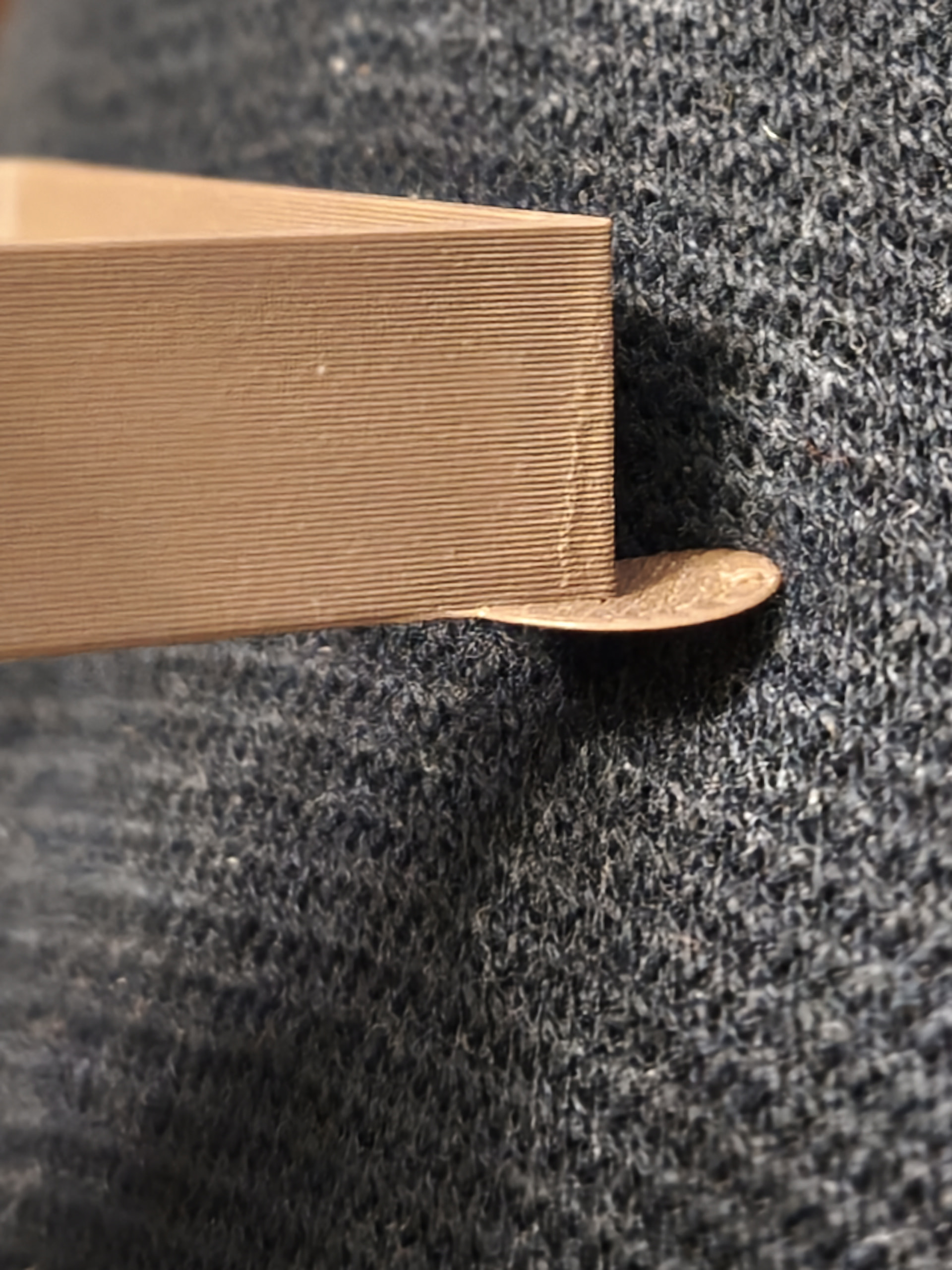
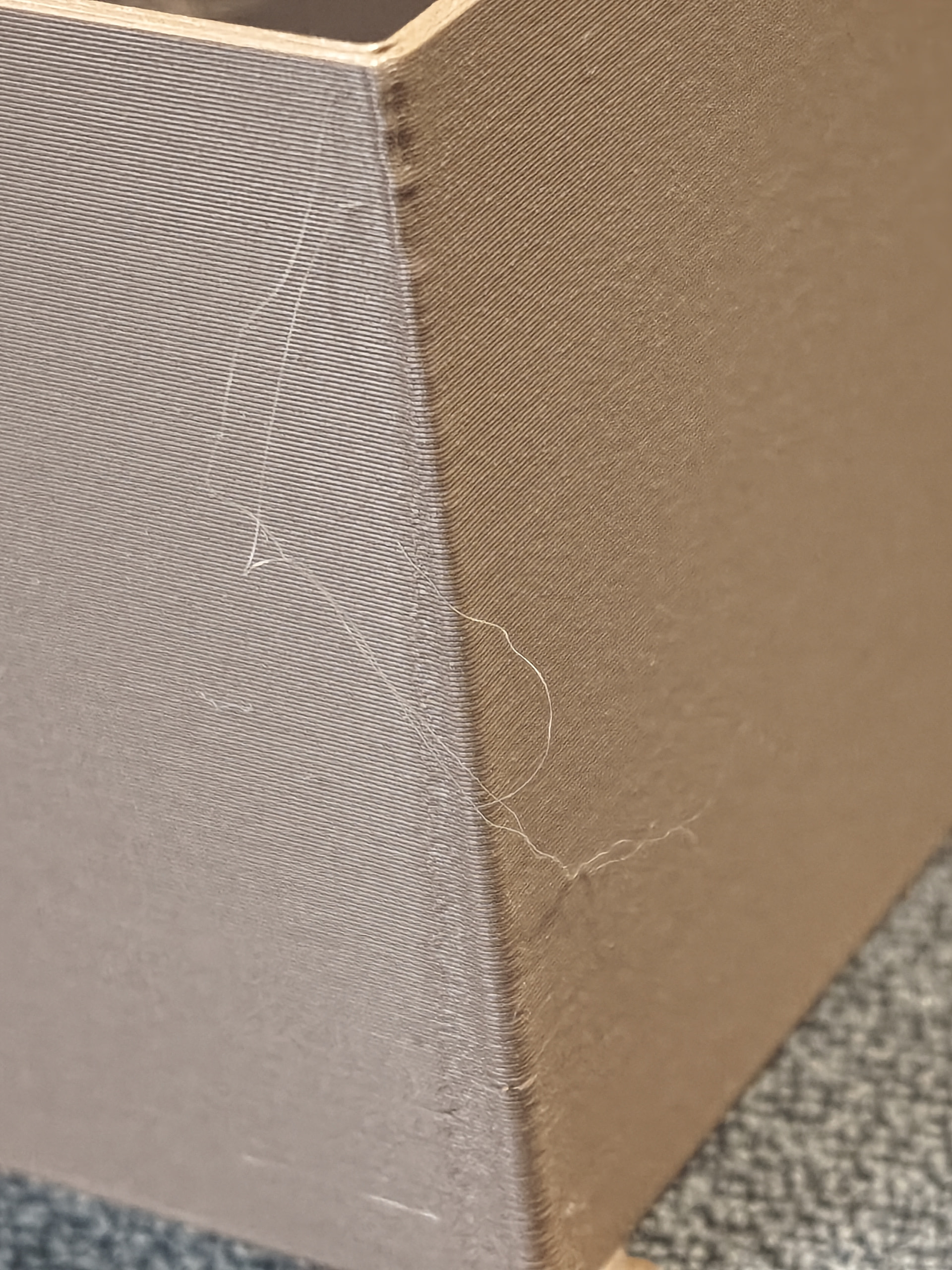
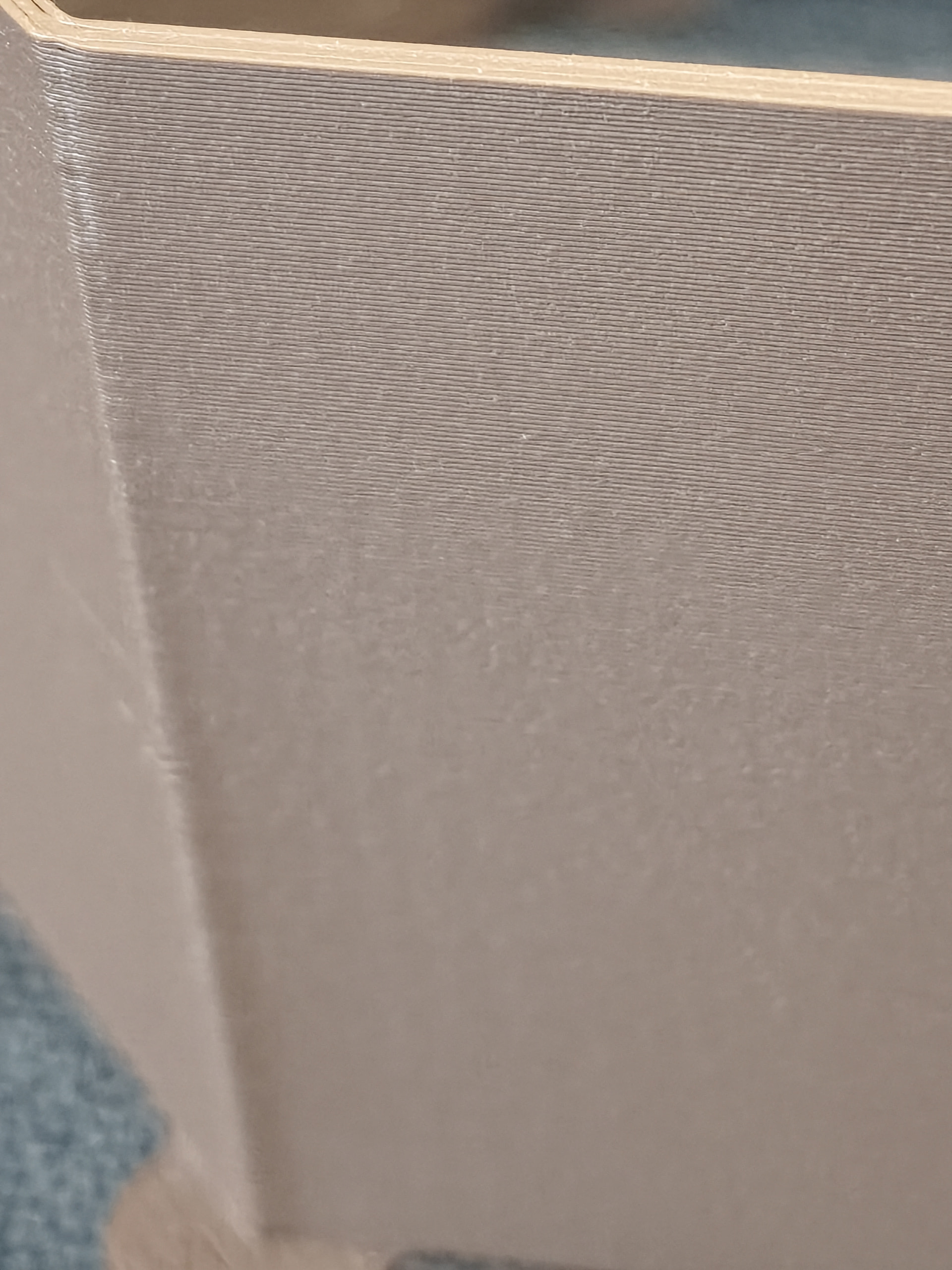
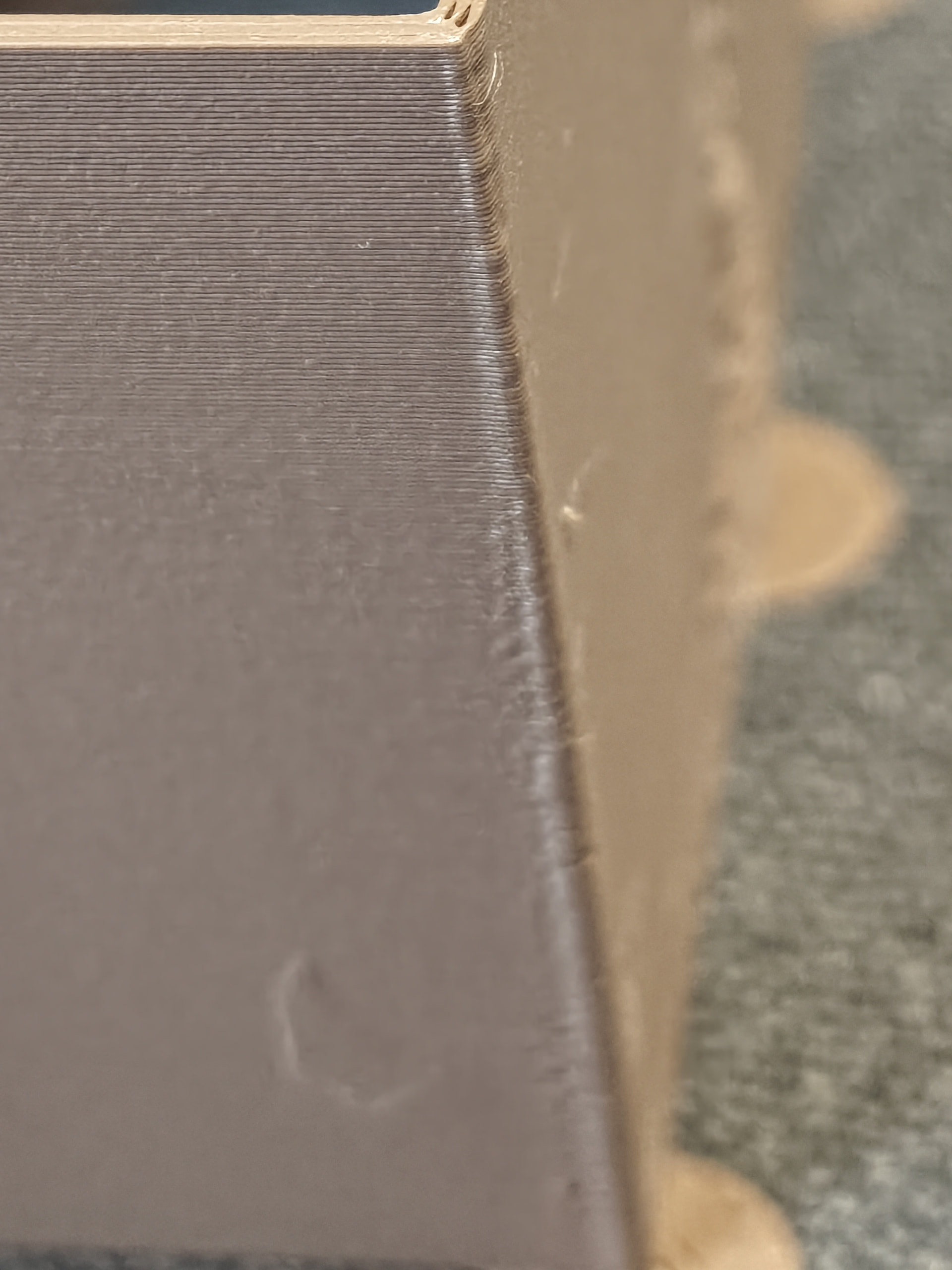
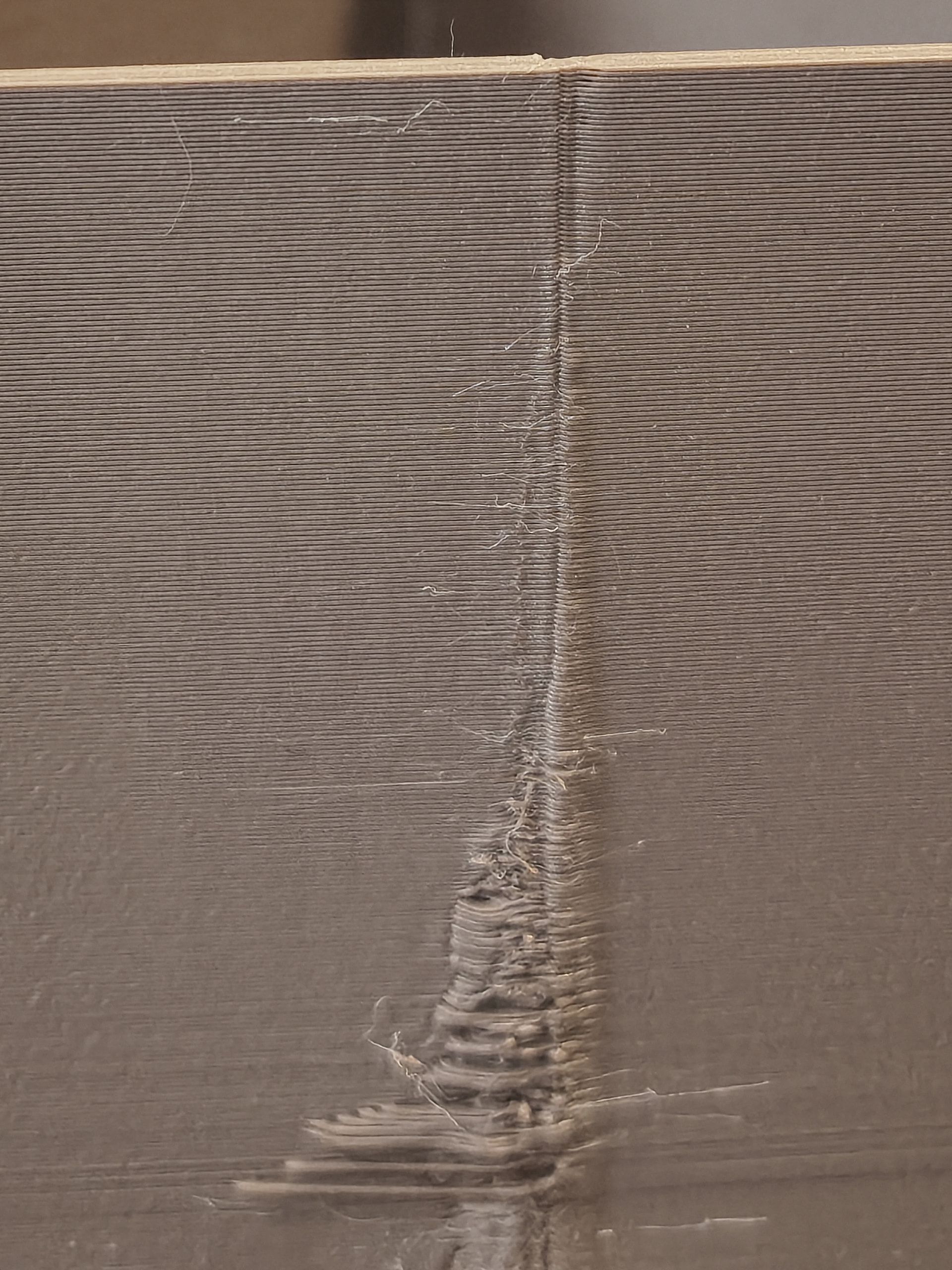
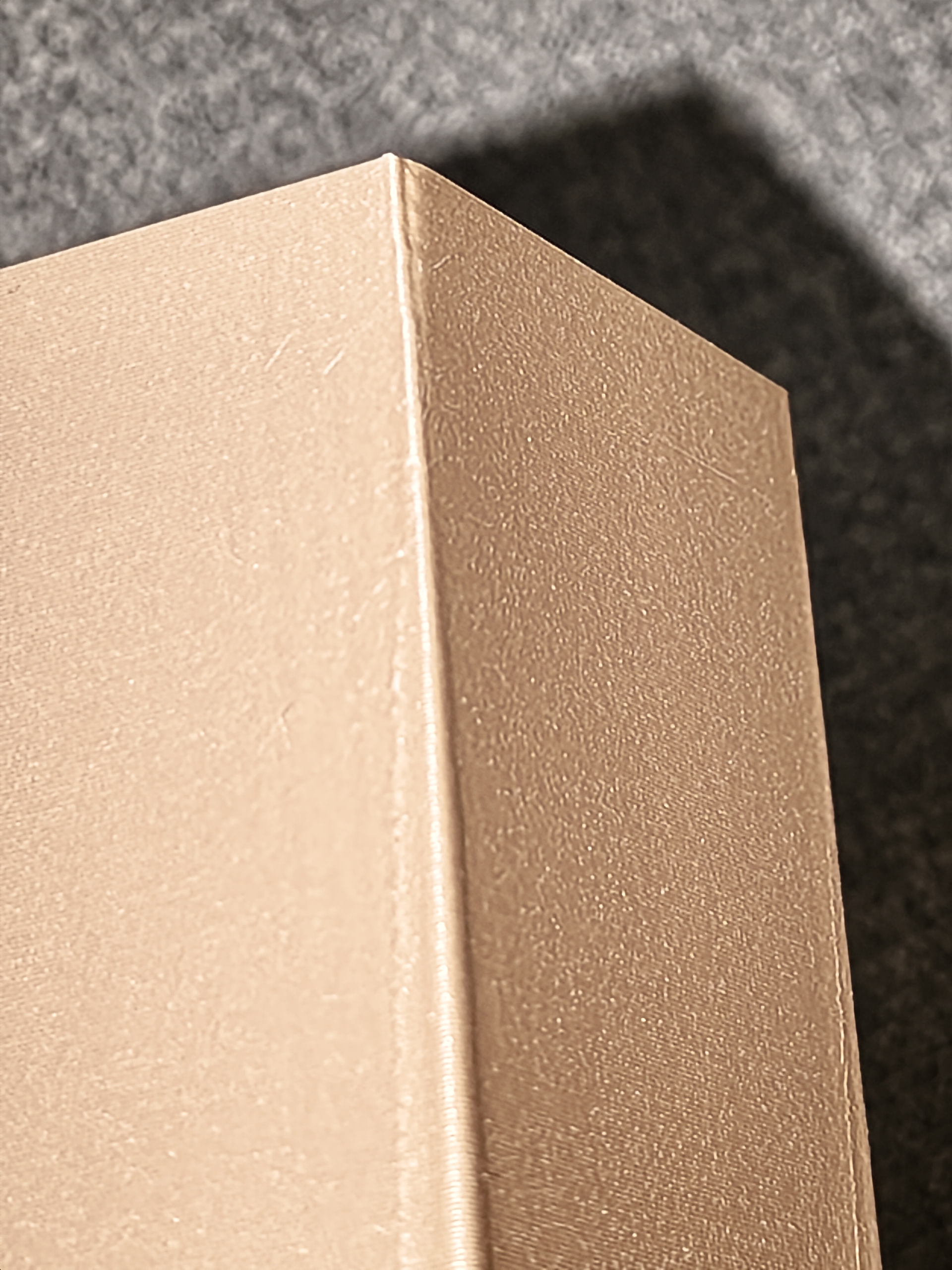
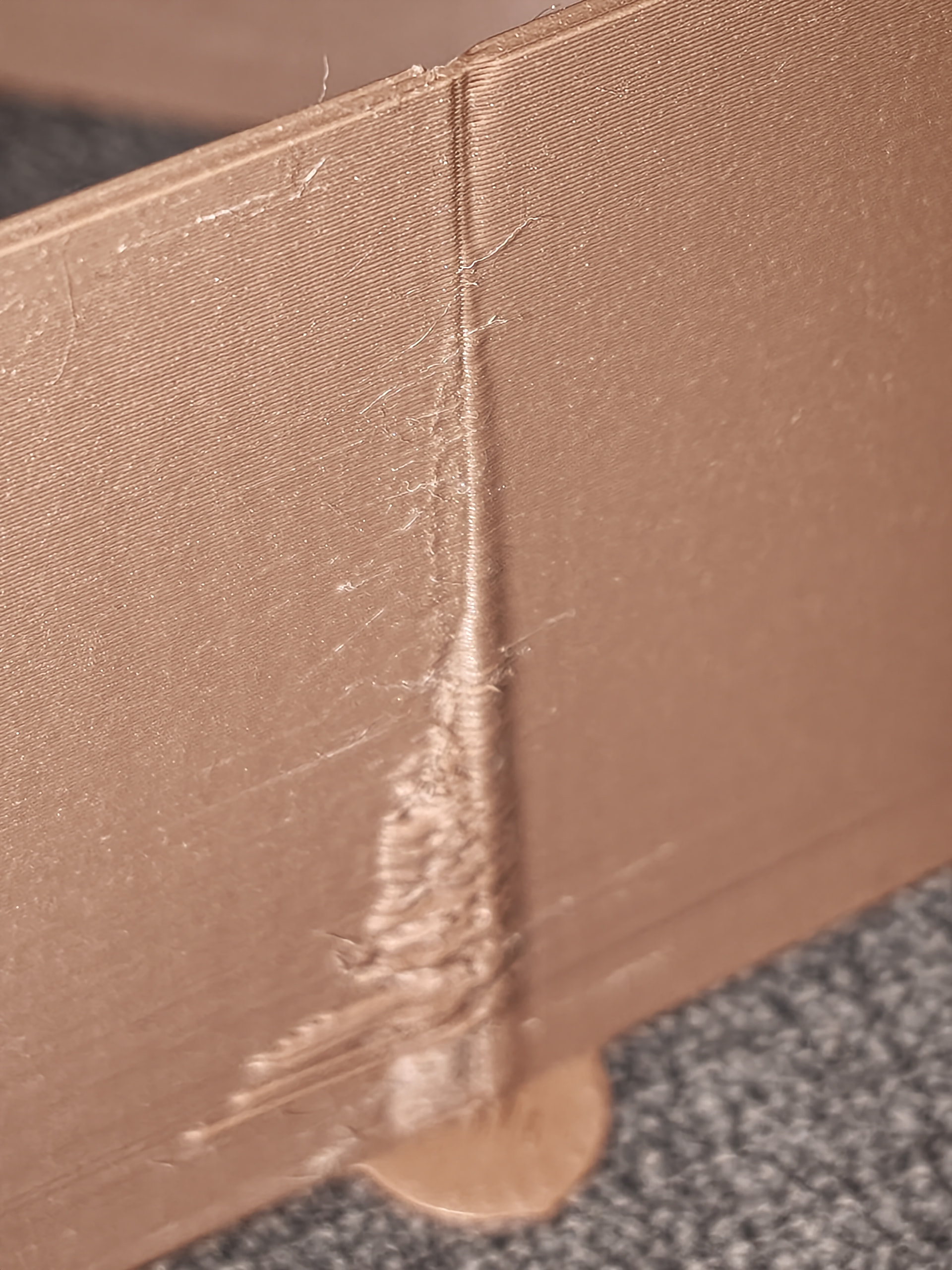
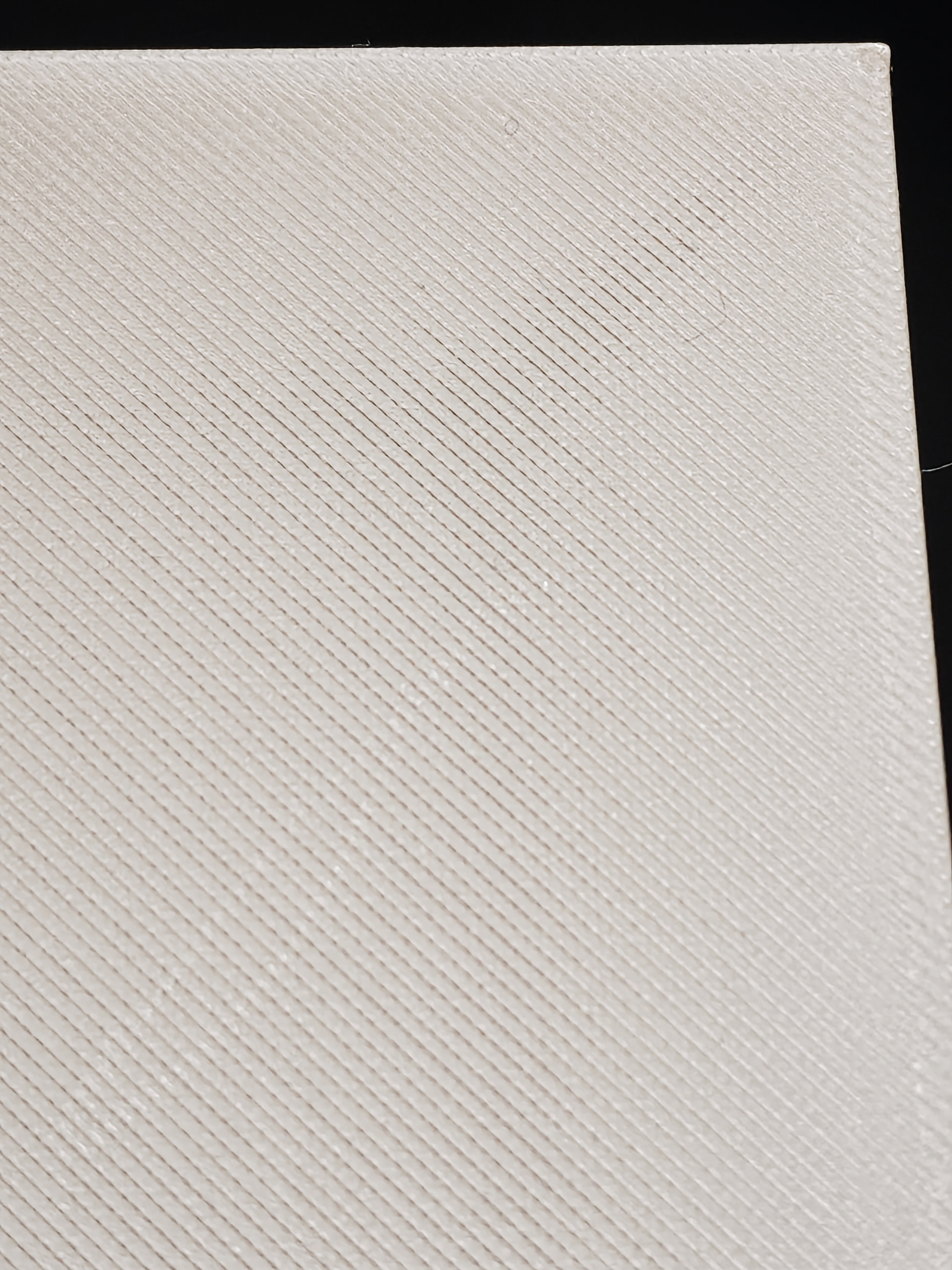
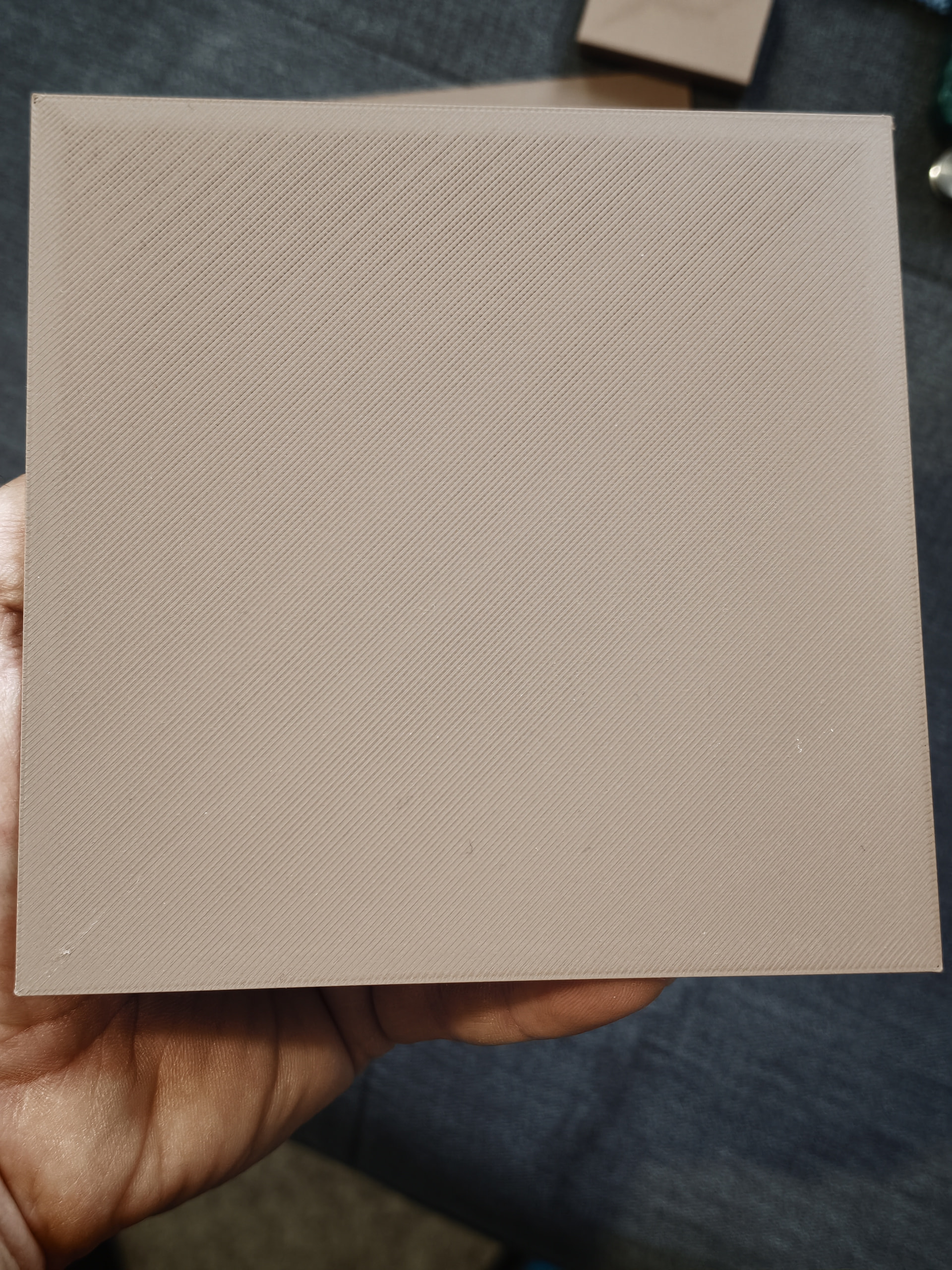
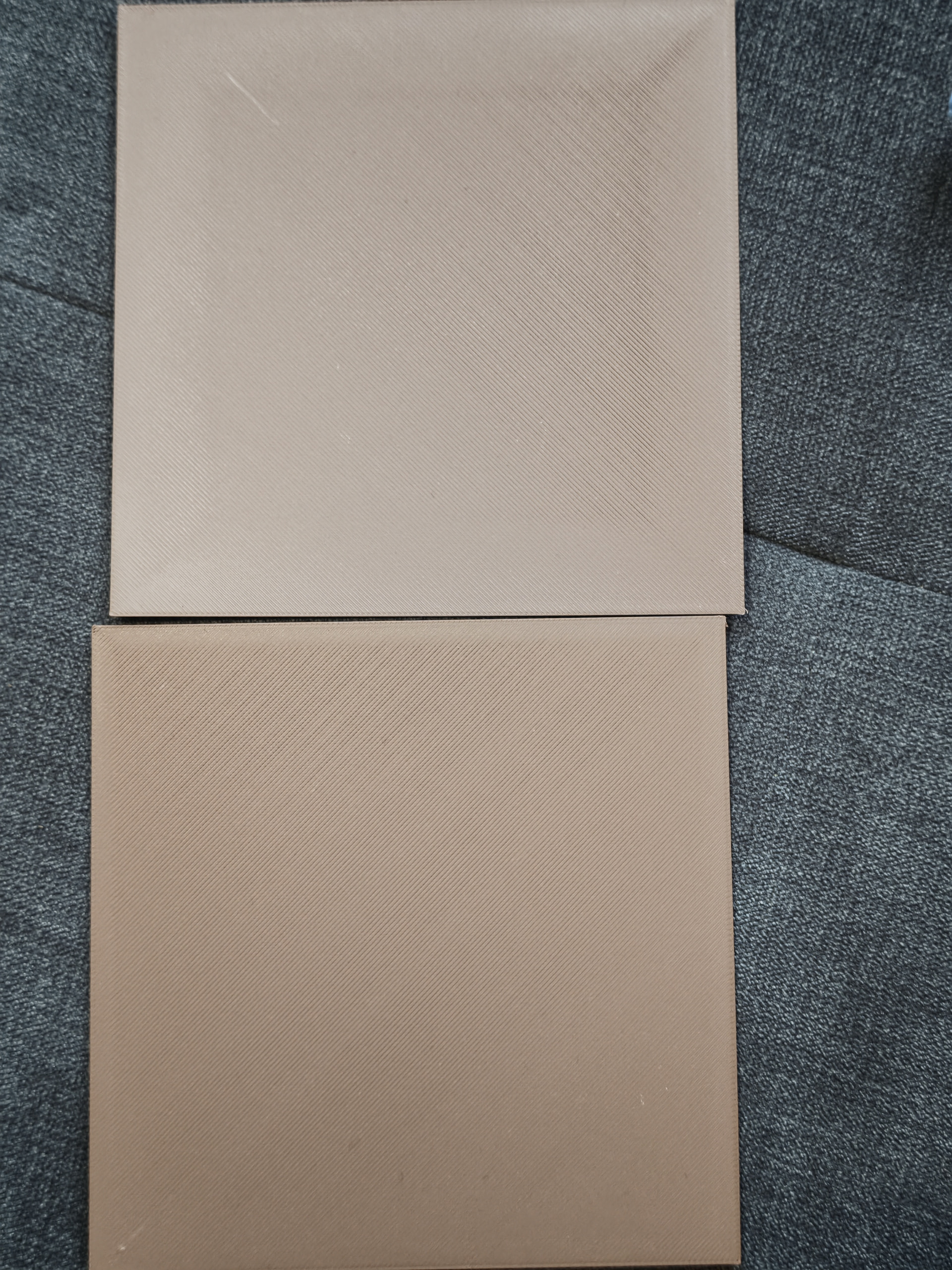
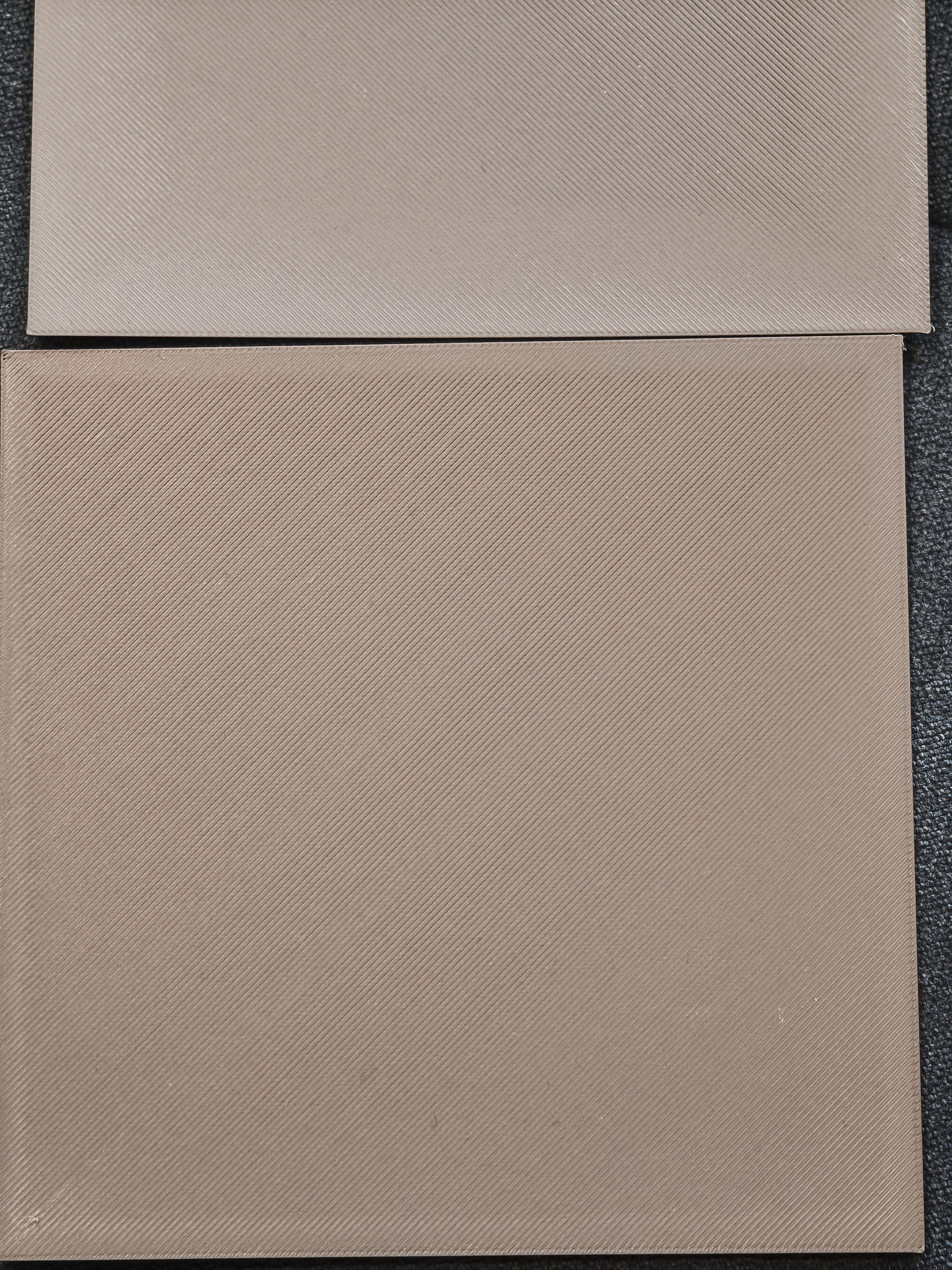
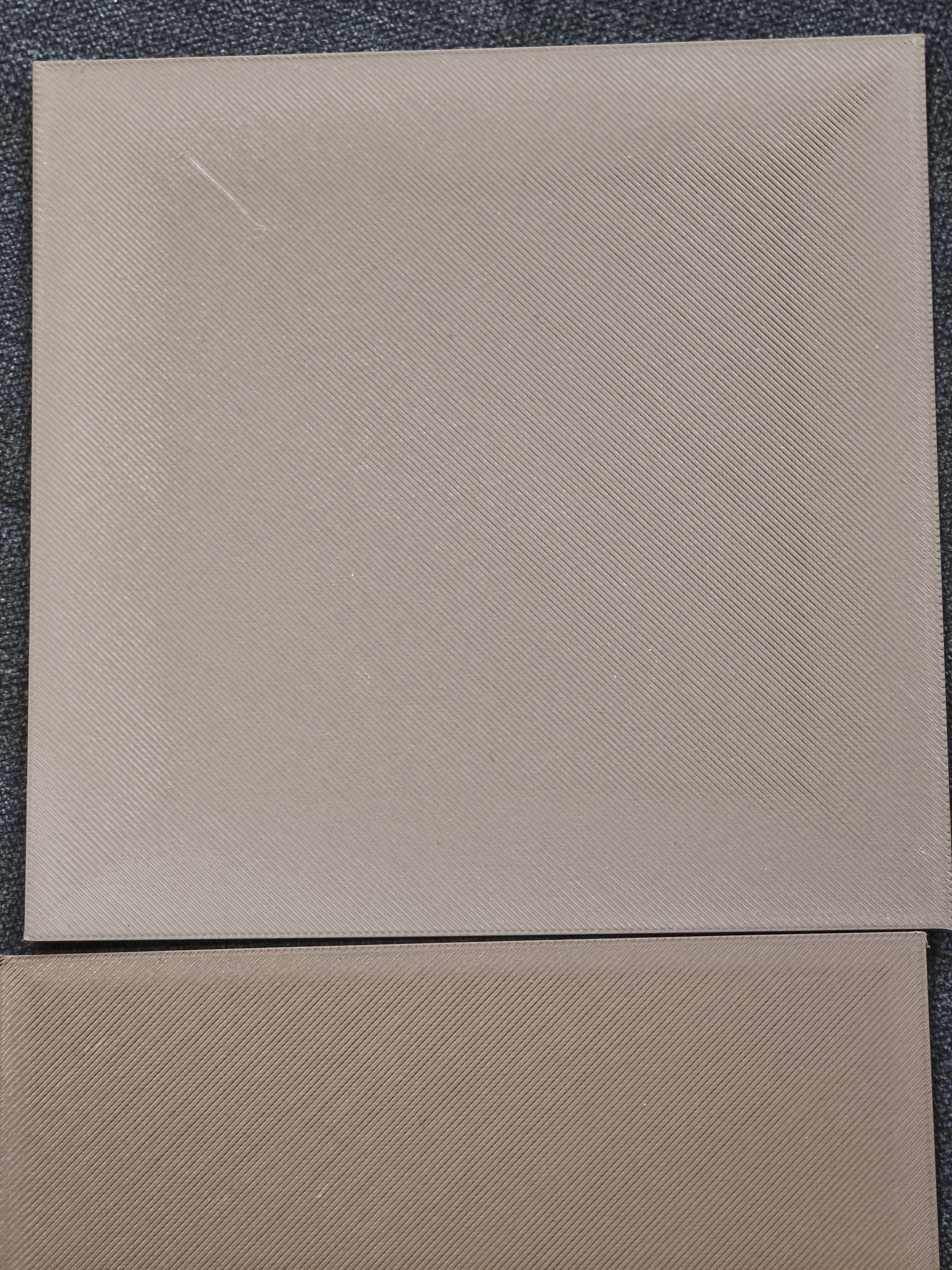
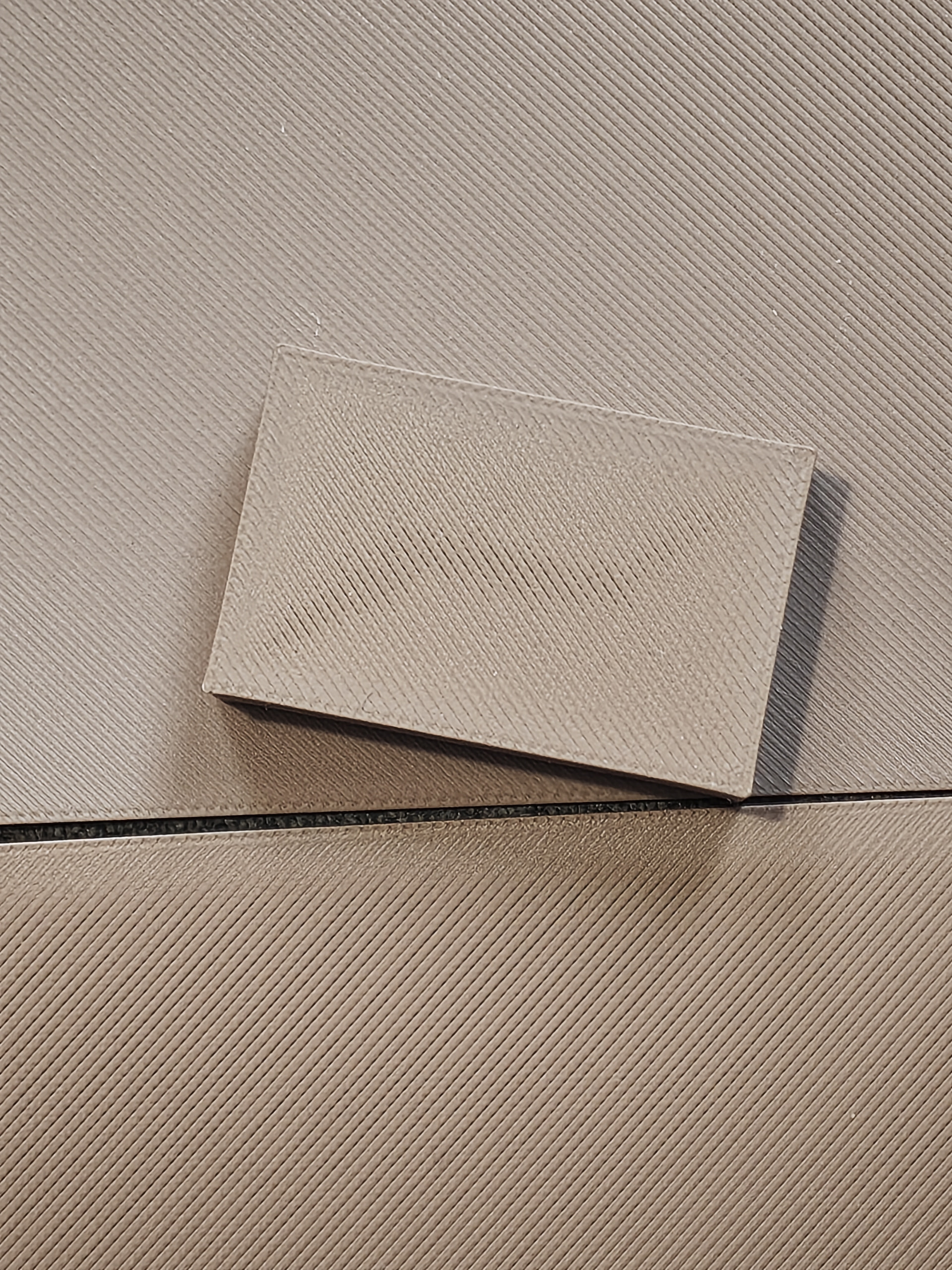
I’ve recently got a X2D and it’s quite a downgrade in comparison to my P2S. I’m printing using the default 0.24 profile and Bambu labs’ own PLA Matte profile. And it just gives me terrible top layers.
I’ve tried:
Running the printer calibration.
Drying the filament in the AMS.
Using a fresh unused 0.4mm nozzle.
re-tightened the screws on the heating assembly.
Manual Bed Leveling (and then auto bed leveling re-calibration)
This is the big model, it uses the default 0.24mm standard process, and the Bambu PLA Matte filament profile. The only changes are 5% gyroid infill and 3 wall loops.
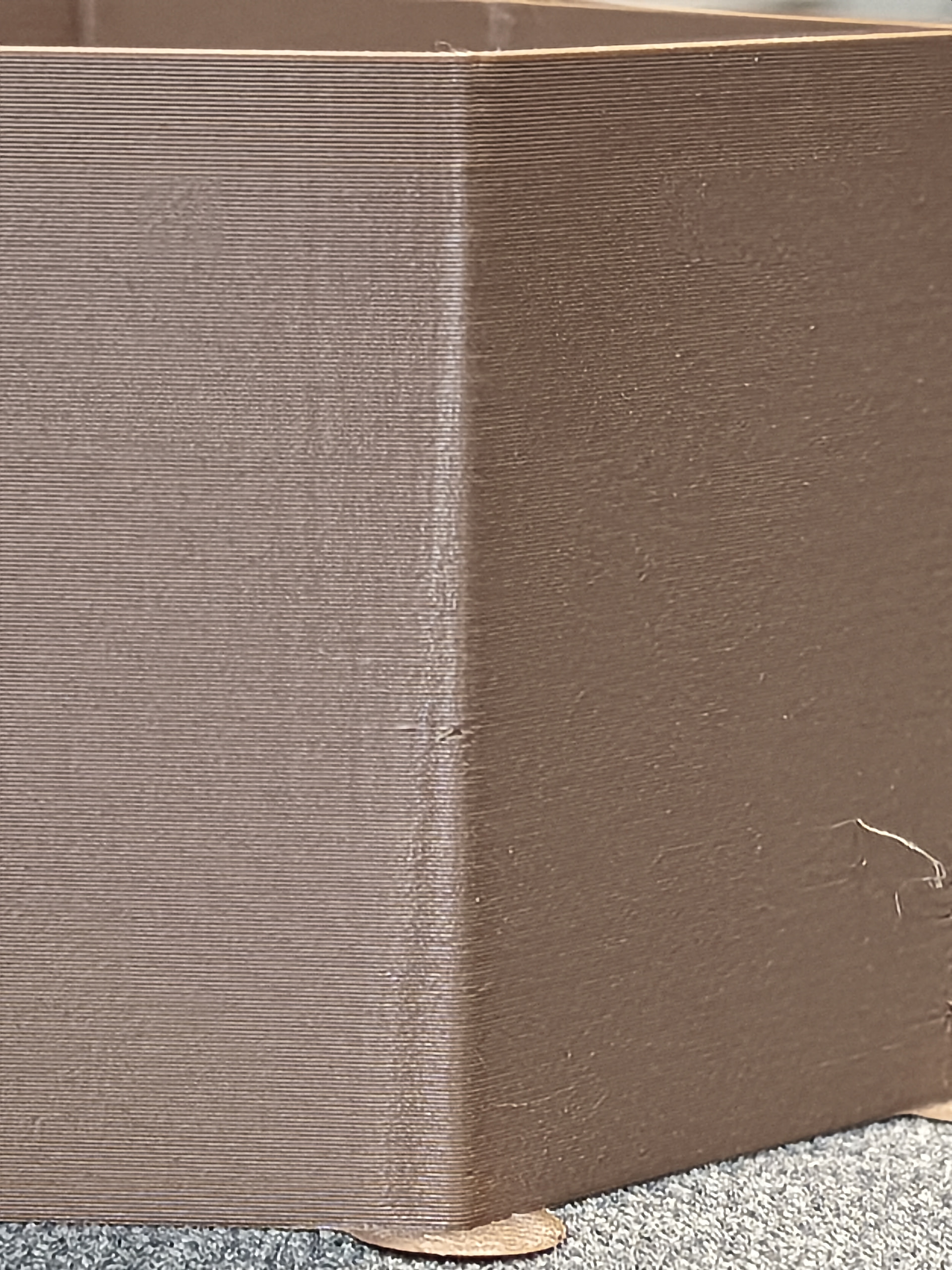
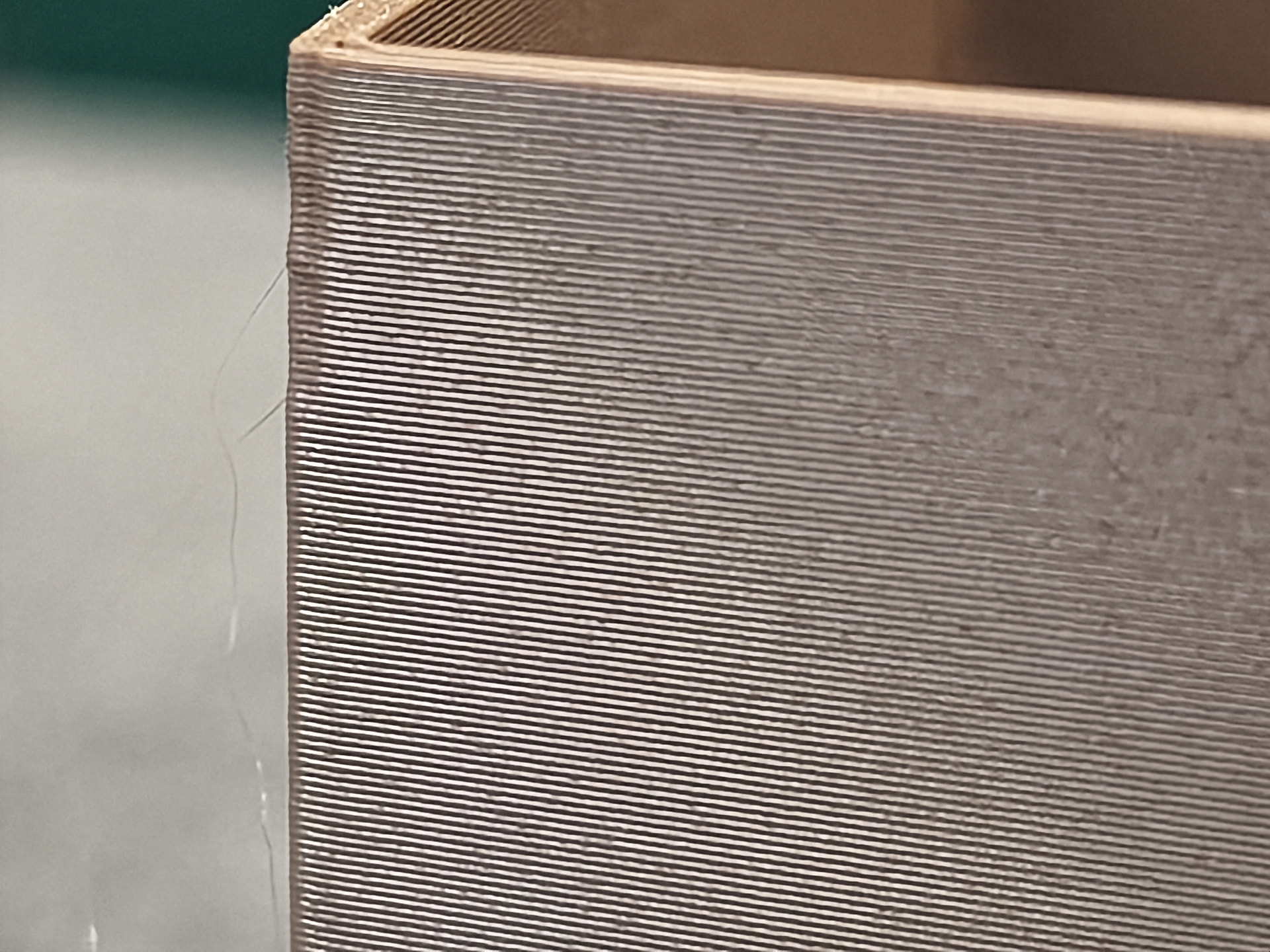
I have since tweaked a bunch and got it looking marginally better in a smaller version by lowering the Flow rate all the way down to 0.98. It’s still not perfect as you can see over extrustion on the edges. Additionally, there are now gaps on the bottom due to the low flow rate.
What surprises me the most is that this happens across multiple of my Bambu Lab PLA Matte rolls of different colours and isn’t something that happened on my P2S, I never had to touch the filament profiles to fix issues like the ripple from the first picture.
And this might be just a hunch, but it feels like the issue is more pronounced when the model is round rather than rectangular. (just throwing everything out there to find help ahah)
I’m also having X2D print quality issues, terrible top surfaces that were perfectly fine on my P1S I owned prior. I’ve printed the same model as OP but with 15% infill and also gotten a terrible result
Seems like you did not searched too much around but there are more than 10 reports now for similar problems. Maybe even more.
I am also fighting with same issue either under extrusion on top or bottom or over extrusion on the edges. Recently able to fix the under extrusion on the bottom. But have not time to investigate the tops now. But as you can see from the ironing topics, it is very hard to get good and smooth top layer. With or without ironing. Just check the older top 20-30 topcis.
Sorry but no easy solution so far. Seems some are able to get replacement printers which seems to be better. Some are still working with support.
Have you ever seen the ripples in sand in sand dunes? They are created by wind blowing across the sand. They look very similar to the waves on the top left surface of the first picture. The rough look on the right side looks very similar to what happens when there is slight lifting on the first layer. Brims will help with the lifting but the problem in both cases tends to be the auxiliary fans. Just like the auxiliary fan causes problems on the P1S and the X1-Carbon. On the X2D there is a fan on each side so the air flow is more balanced but fan caused blemishes still occur if one doesn’t take steps to prevent them.
What 3dEd said above makes a lot of sense, but also I will add that Bambu matte seems to be big trouble maker for x2d and his default profiles.
You can try to use the 45 degree deflectors. And also I have very good results in the last days to calibrate the process + filament profile by just printing several trials with primitive cubes with different settings. Instead of using the Bambu calibration.
So you not only have this waves and defects on left and right, but also under extrusion on the bottom. And rough edges. So if you like to make it better you may try to:
Add a bit more flow rate, rise the pa/K, and drop the speeds with 20-30%.
As I said I have used small primitive cube to dial it in. Which take around 10-13 min per round. Instead of 30-40 min per run waiting for useless patches.
I think I’ve fixed the issue, I am currently running this by Bambu support, but in the meantime, here’s what I did to get much better results.
TL;DR Flow Dynamics to 0.04 and Flow Rate to 0.966, and Max Volumetric down to 15. I’ve calibrated it using Calibration Guide - OrcaSlicer Wiki with Max Volumetric speed, then Adaptive Pressure Advance to validate multiple speeds and then Flow Ratio.
I ran out of the red PLA Matte filament, but reproduced the issue using the black Bambu Lab PLA Matte that I have as well. So I decided to go through a calibration process again.
Instead of using Bambu studio calibration setup, I ended up using Orcaslicer Pressure Advance and Flow Rate calibration settings (Archimedean chords + YOLO option).
I also validated the flow rate, and ended up lowering the maximum flow rate down to 15.
For Pressure advance, I tested at a variety of speeds and accelerations, and noticed that the best angle where always at around 0.04 for majority of combinations except for low speed (50mm/s), the low speed showed a PA of 0.025, which correlates with the value I had obtained from the previous PLA Matte calibrations directly by doing the manual Bambu Studio Flow Dynamics Calibration Option. The auto-calibration option gives even lower values, with a value of 0.017. This to me show that the auto flow Dynamics calibration, or machine code, or the sensor is not doing it’s job properly to get a good average PA value for the actual print parts.
For Flow Rate calibration, I ended using the Archimedean chords + YOLO calibration method, which when analysed ended up with a flow rate of 0.966, which is quite a bit lower than the 1.006 in the filament profile as default.
I validated that now the models printed with great quality both from Orcaslicer, as well as by copying the settings into Bambu Studio, and setting them appropriately.
FYI my auto calibration for pa/flow dynamics show also between 15-18 with different filaments. Manual with bambu studio usually around 18-22. From my manual test I can see much higher pressure advance.
Also I got better results by dropping flow rate around 15mm3/s for the matte. And from what I see really different speeds require kind of custom tuning.
I also had in mind to try tuning via Orca but not able to get it working from the first time with the plug in. And liked to buy a flash drive but this got delayed.
But in general your results confirm mine, I was not brave enough to dial more PA. And 0.03 was showing already much better results.
For now only white PLA Basic is close to the original specs and show good results with just a bit more pa around 0.024. All other colors and brands PLA filaments require some more tuning. And I do not have time now to play with different materials.
I am wondering now if this poor behavior is related to bad FW/design. Or just some mechanical components are bad and the extruder really do not have capacity to react as expected, and cover the needed dynamic, which requires “custom” settings for every scenario.
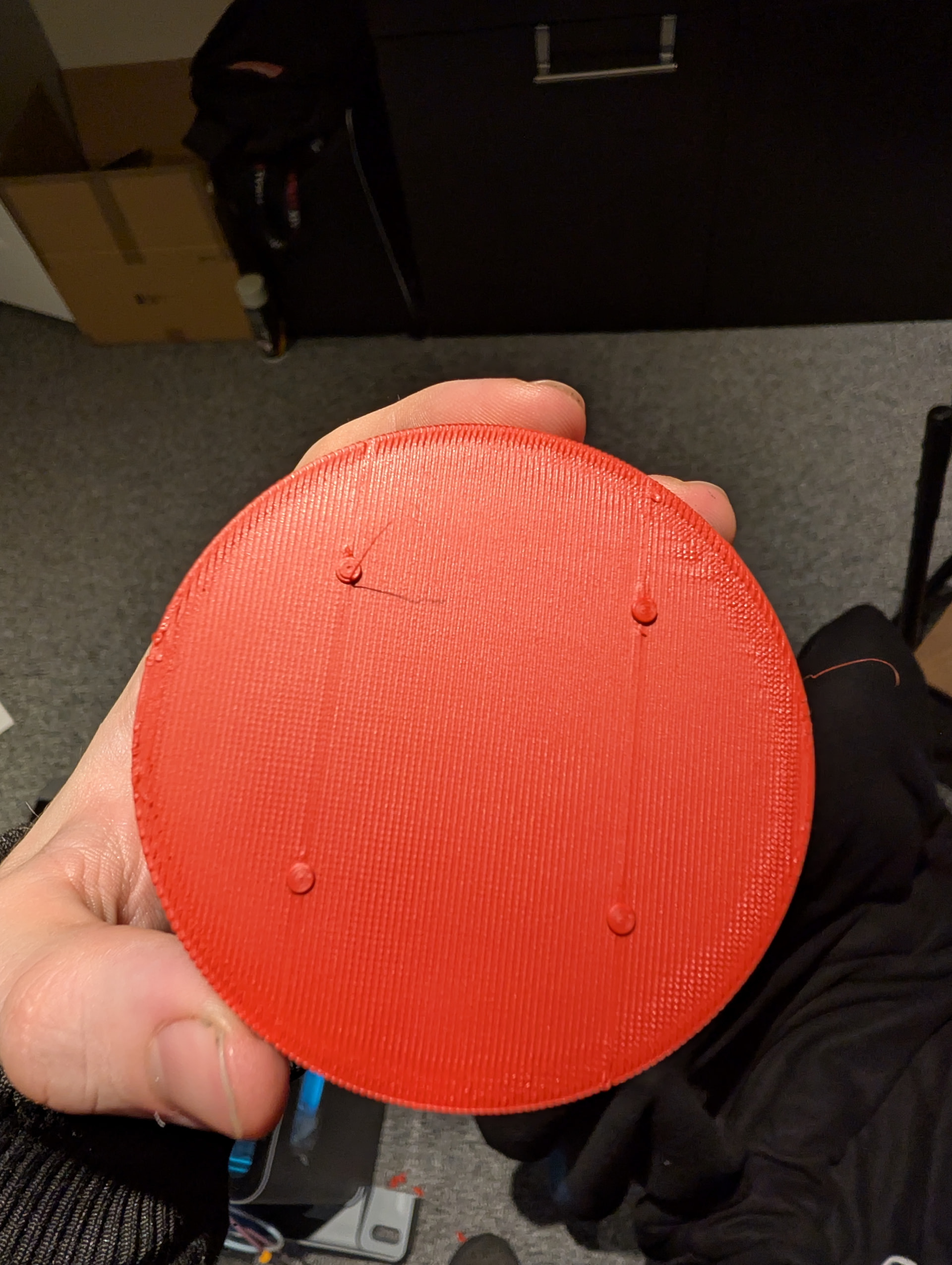
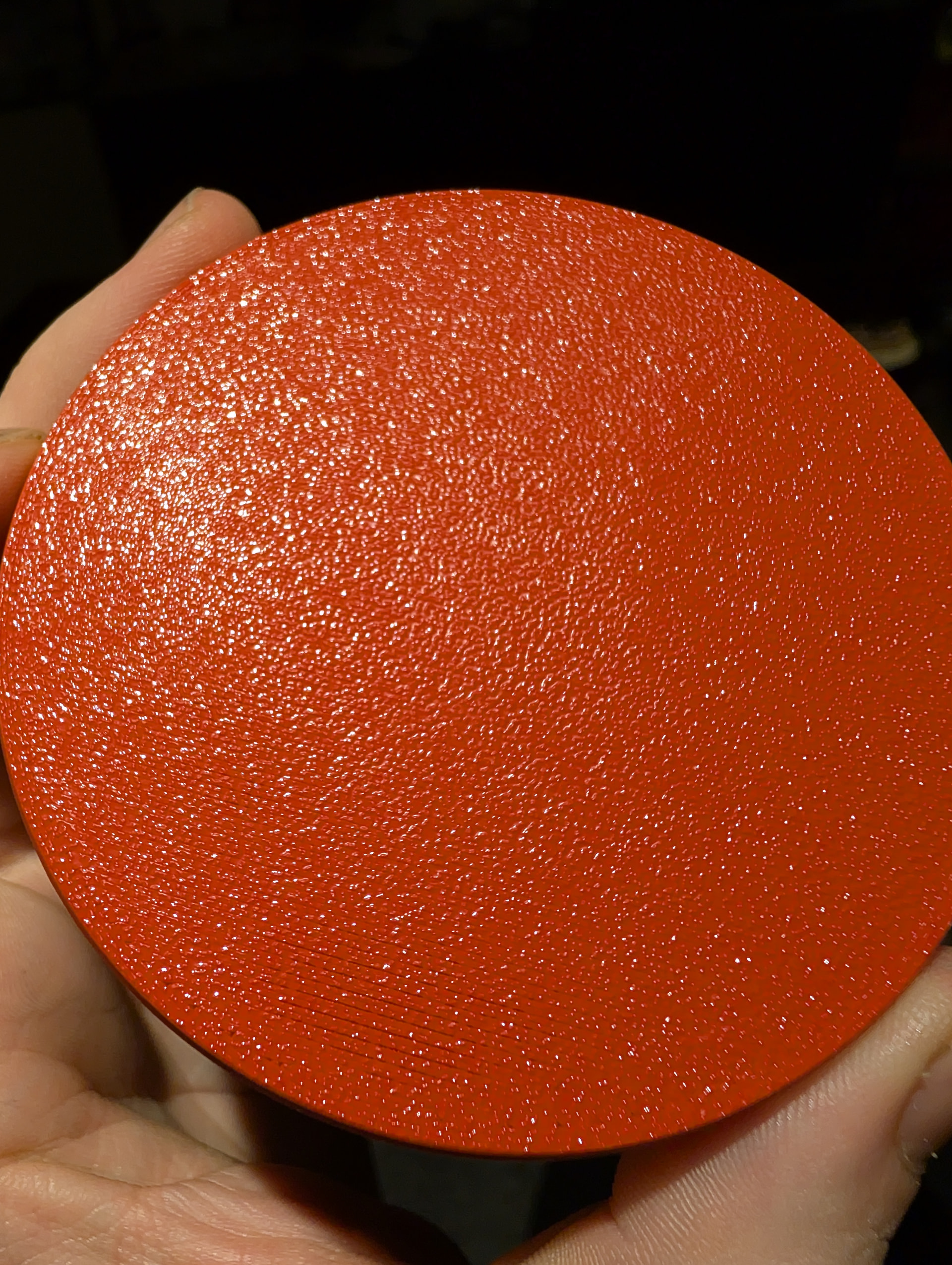
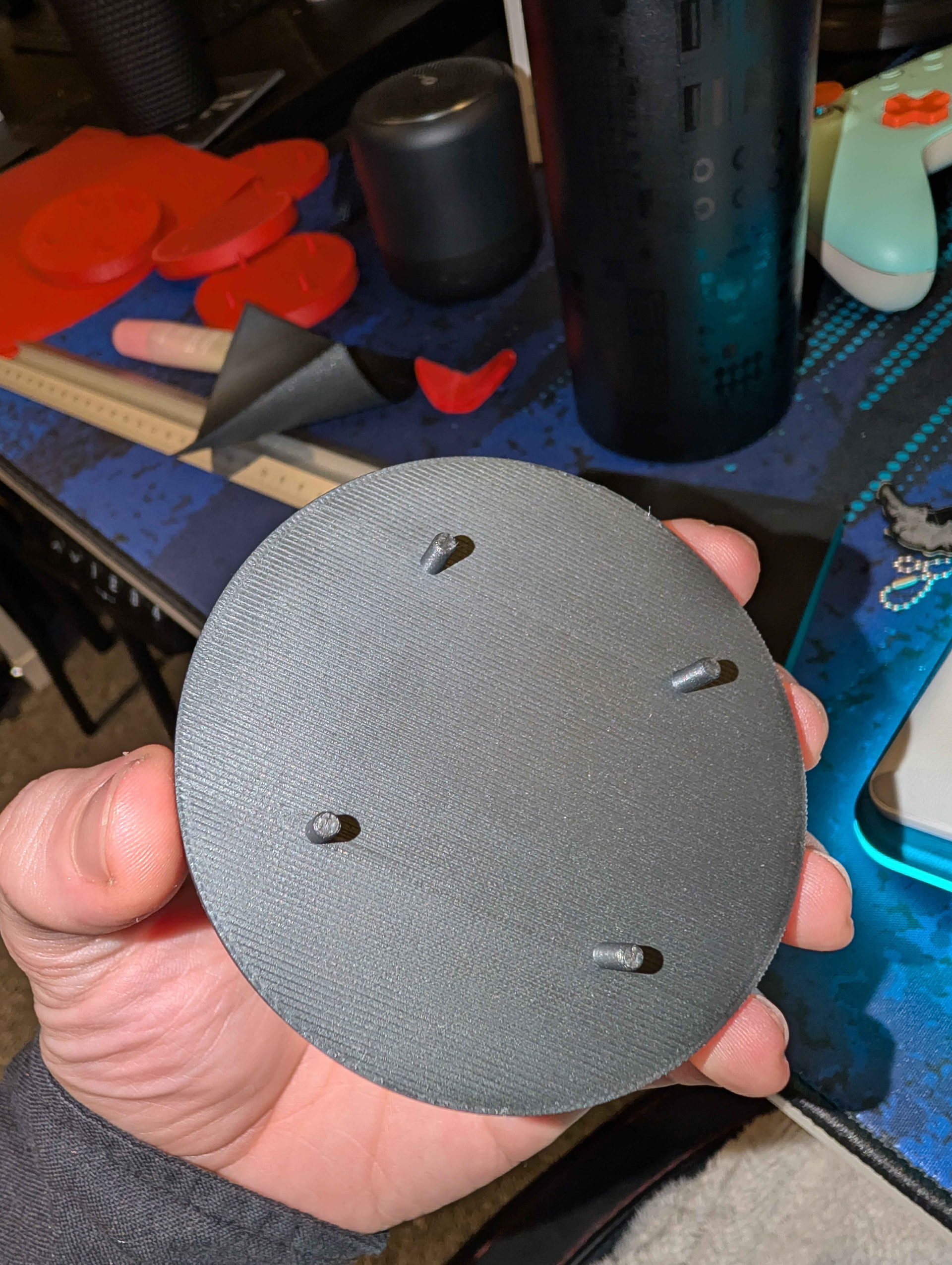
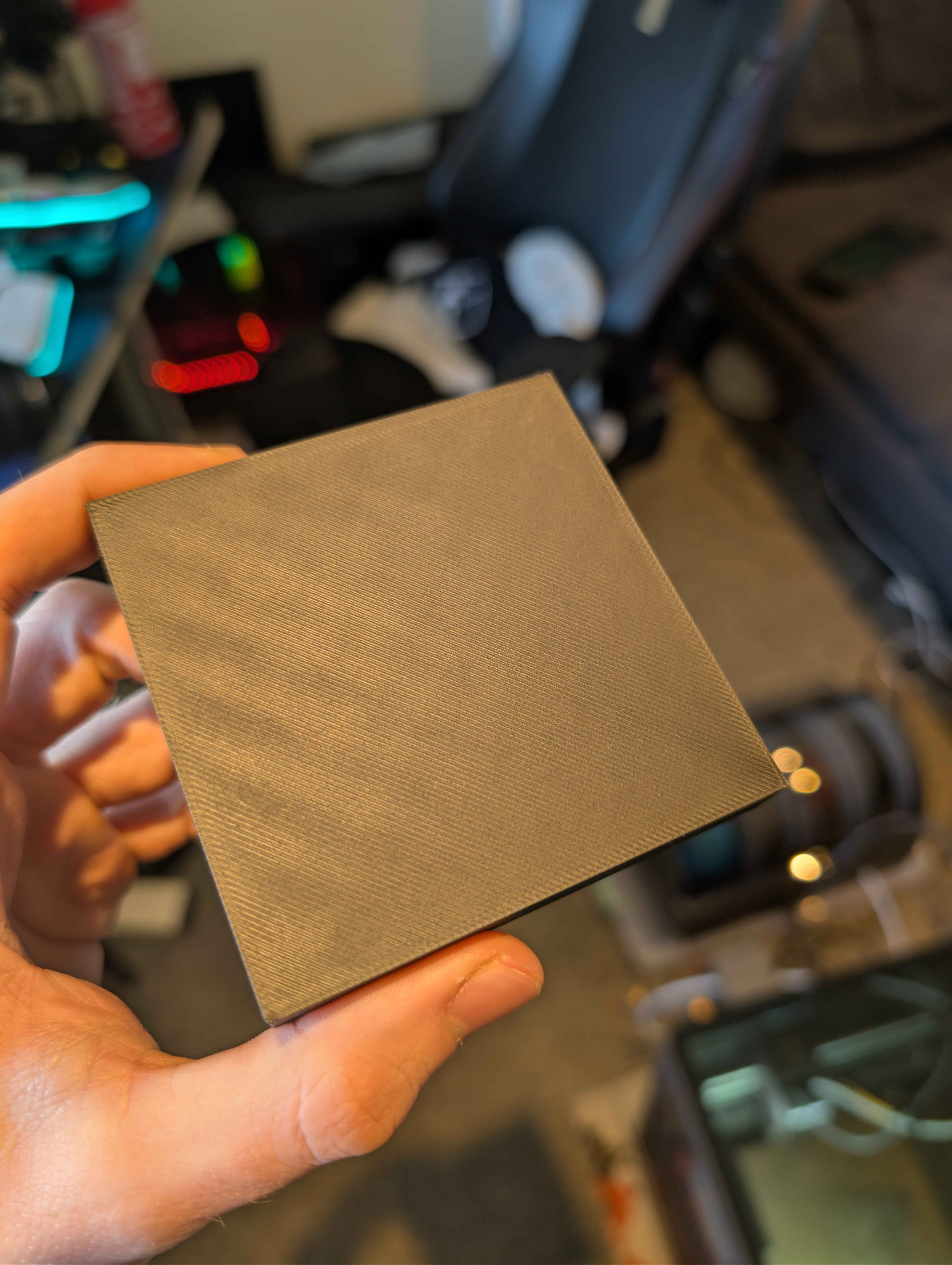
Now spend some time with trying to calibrate the matte on the AUX and this seems to be a bigger challenge compared to the main. You know, for PLA multicolor prints. And the strange thing is that actual objects are not coming really bad or even they could be really good. But simple cube seems to be like big challenge . And bambu profiles does not really help. So they decided that by default they will have the walls at 50mm/s and top layer set at 200mm/s. Some other settings at 250-270mm/s. Even with flow rate I have set to 15mm3/s I see interesting things. You can see the pictures below.
So by the PA line test good value should be between 0.50 and 0.70. Then I have the big kind of flat cubes printed at 200 mm/s and 15mm3/s rate limit. and you can see that we get a smaller rectangular inside on the place where the extruder switch the acceleration mode. This look like embedded rectangular on the big cube 127x127x0.6 ( 3x layers at 0.4mm nozzle and 0.2mm height standard profile ) and S on the small cube.
Then if I drop the speed to 100mm/s I got much wider under extrusion zone on the top, you can see this on the second big and flat cube. So on the first faster cube it was able to keep with the extrusion most of the time but at the small switching zone. Dropping the speed from 200 to 100 actually made the issue bigger.
Then I spend some time with PA towers, first did 2 smaller tower with big steps like 0.1-0.7 with 0.1 step, and 0.1-1 with 0.2 step, but at default test speed which is 50mm/s for the walls and 250mm/s for the gap infill … basically with this test we have two outer walls and gap infill in between. And I have very hard time to see any difference. When I bump speed to 100 it get a hair more maybe to the point I think the test does not work. Then when I bump the speed to 200 ( as it is by default ) I start to see some differences as you can see on the pictures above the bigger PA tower is printed at 200. Tower is around 51mm tall and around 41mm height I kind of see the best zone.
Kind reminder this is on the second/Bowden extruder!
So this dark brown matte is all over the place on the second/bowden extruder. I do not have a good settings for now for it to be able to print good flat cube.
Now mostly none of this show up if I do print small figures, as it seems we are well below this acceleration switch point. Or maybe I am hitting here and there without able to see it on complex forms.
I am wondering if any of the guys who said they printers print just fine out of the box on defaults, could you please show some examples from whatever PLA you do use and print one cube like 120x120x0.6 for comparison? If you have matte even better.
I am running into this issue as well on large prints. Flow rate tests said lower the volume, but initial surface is fine. Under extrusion happens in the center of the print’s top surface. The taller the print, the worse it is.
First layer is flawless. No blobs/zits.My only observation was that this started when BBL changed the PLA formula. Only until recently did other filaments start doing this. At the time I was using orca exclusively and the phone app for remote jobs. Now I’m convinced its something else. What is weirder is that if i print something from MW app on my phone, no top surface defects, where as i print same project from the PC app, its totally different.
This difference between the apps maybe come from different profiles in them?
What filament/s do you use? Like brand/model/color?
I think this test with the cube is very fast and simple, just get what profile you think is good and print big enough and flat cube like 100x100x0.6/1.
My first layer is good now. Initially I had issue with first layer also, If I just follow the standard calibration patterns. Now first layer is good and with some filaments like PLA basic white I can get the cube nice on the main extruder. But this days play with Bowden and the fun is even bigger .
Its been BBL’s spools. Occasionally I’ll go with polymaker or sunlu on some special stuff.
I can copy the print profile 1to1 or say “open in bambu studio”. Does the same. Like the flow rates are off in my filaments.
I can do the manual test all day. Still shows 0 as the best one with either a +1 or -1 on fine adjustments.Those chips look great, but its when its a line over a long distance, its under extruding, then it slows down as it gets to the edges and its perfect.
I replaced the factory installed extruder gear set and this made a marked difference for about a month, then it all started doing it again. Heck, I even splurged and bought the overpriced 110$ high flow hot-end.
pla basic has been my go-to for nearly everything. No tweaks or tuning. Only thing I can think of is when BBL changed the pla formula, earlier this year I think? I started getting spools with different labels and thats when I noticed things changing.
I re-trammed the bed in hopes that it was just simply that. I apparently either didnt do that after the last lubrication or forgot to mark it on my log.
I recently started to measure some cubes with my calipers. And s far I could see 0.1-0.05 more height than it should be. Do you have the option to measure some details?
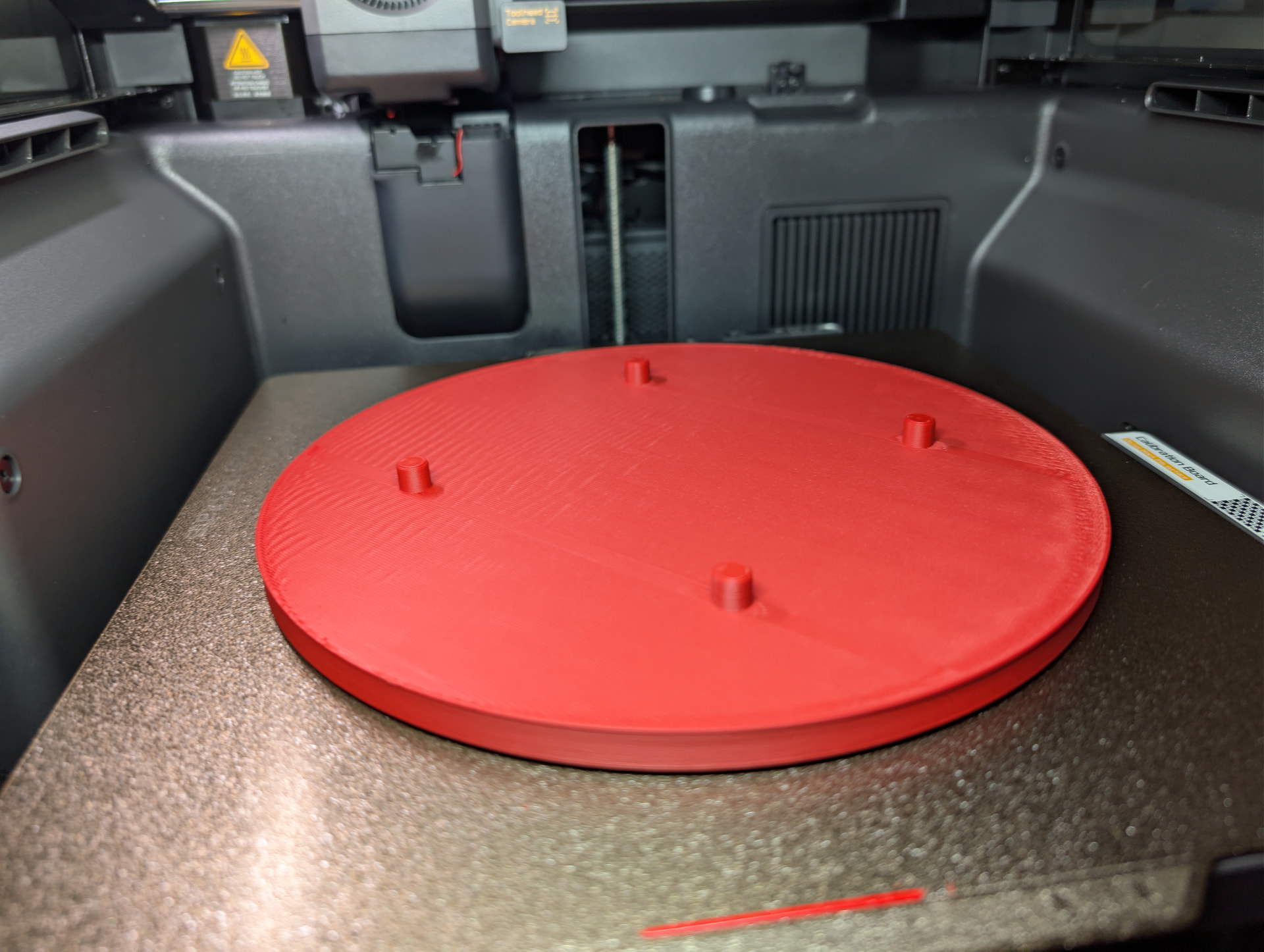

 . And bambu profiles does not really help. So they decided that by default they will have the walls at 50mm/s and top layer set at 200mm/s. Some other settings at 250-270mm/s. Even with flow rate I have set to 15mm3/s I see interesting things. You can see the pictures below.