this 100% looks like stringing from nozzle getting trapped between layers rather then cross-color-contamination from mixing inside the nozzle. Could you send us a pic of your nozzle wiper to see if that’s damaged somehow? Also have you changed any z-hop settings inside the filament settings
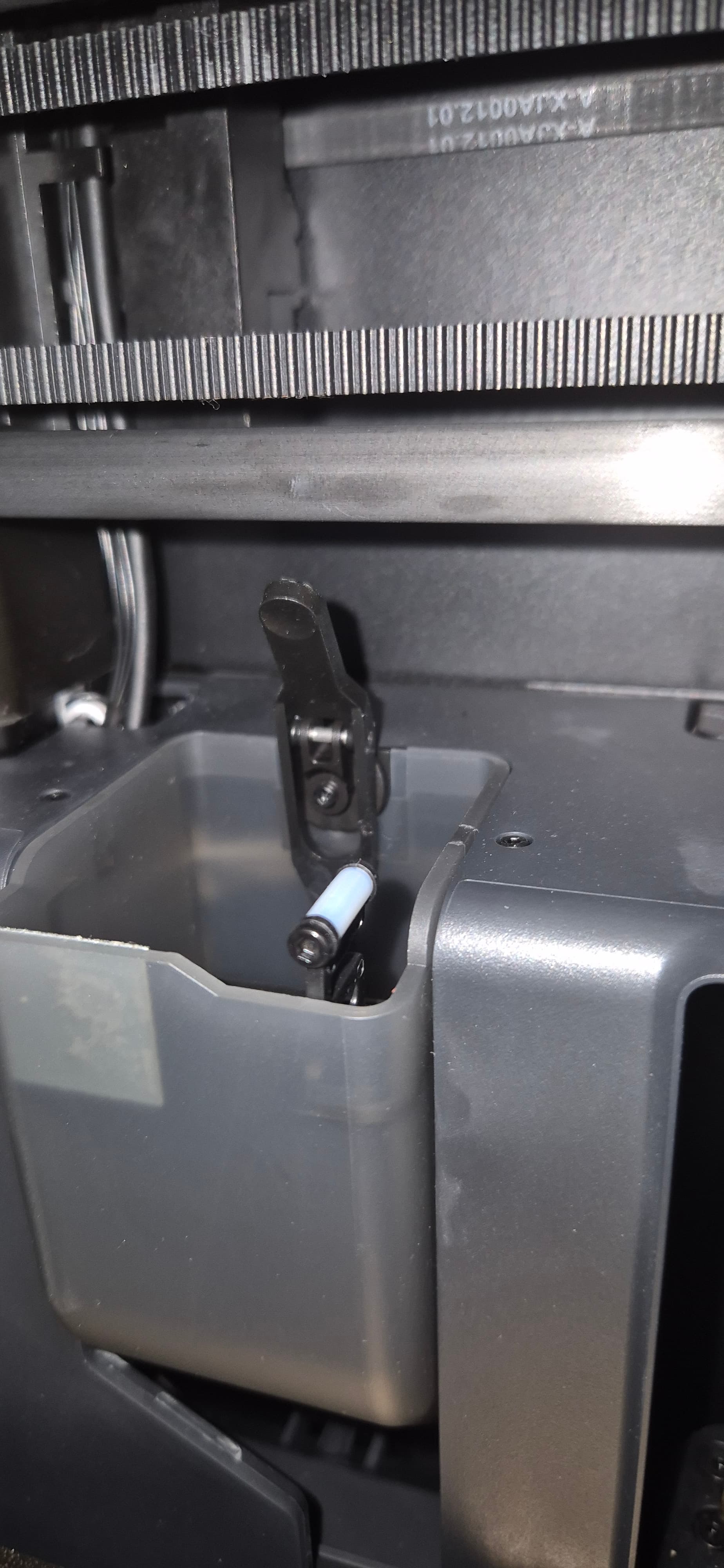
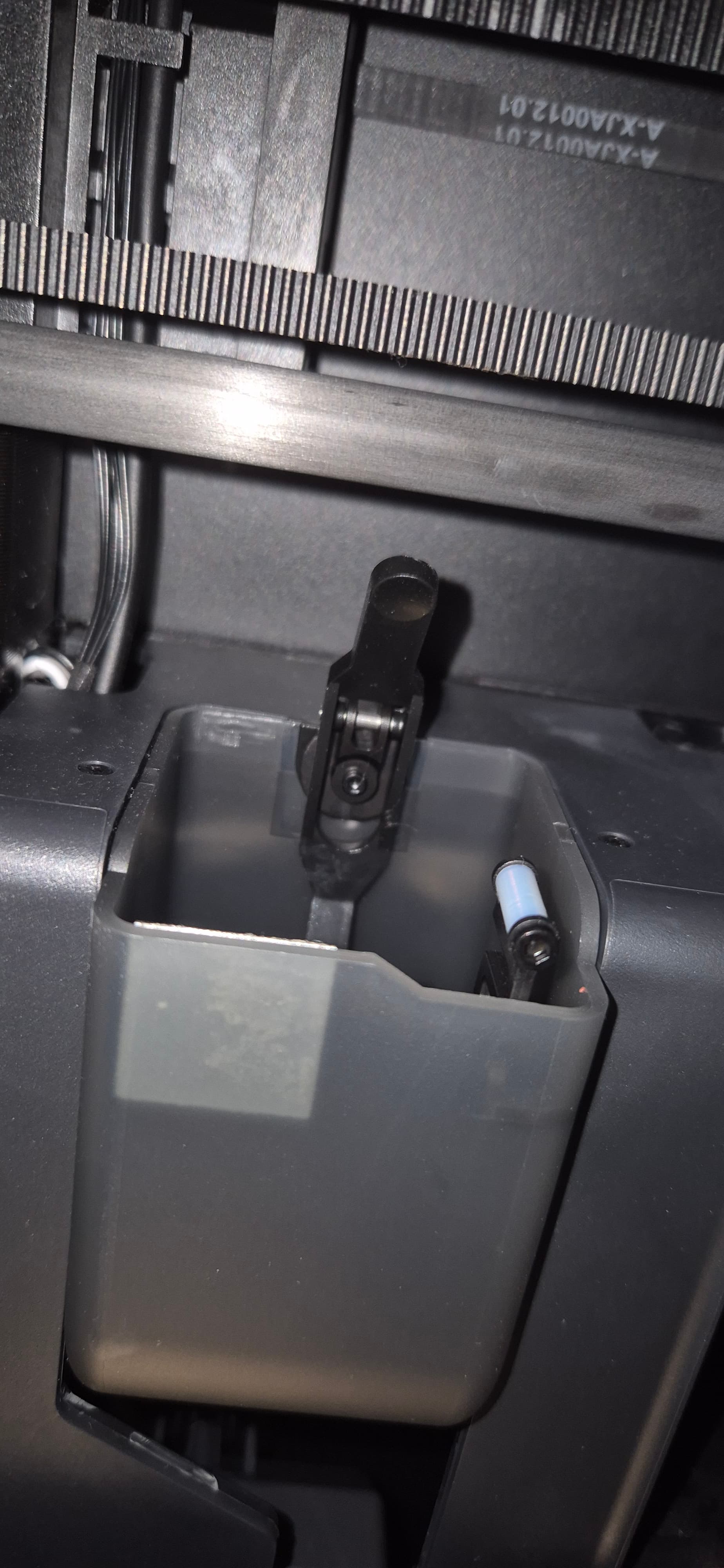
I don’t see any visible issues on that wiper but just for reference, this is what I currently use (I had gone back to stock setup to test the lego print though)
The Nozzle Wiper V3.1 - X/P Series by Maleko - MakerWorld
I believe I also haven’t made any changes in the “advanced” settings (where retraction, z-hop etc. is) for PLA filaments but I’ll double check that as well.
hm,
will order the A1 wiper now!
No problem  .
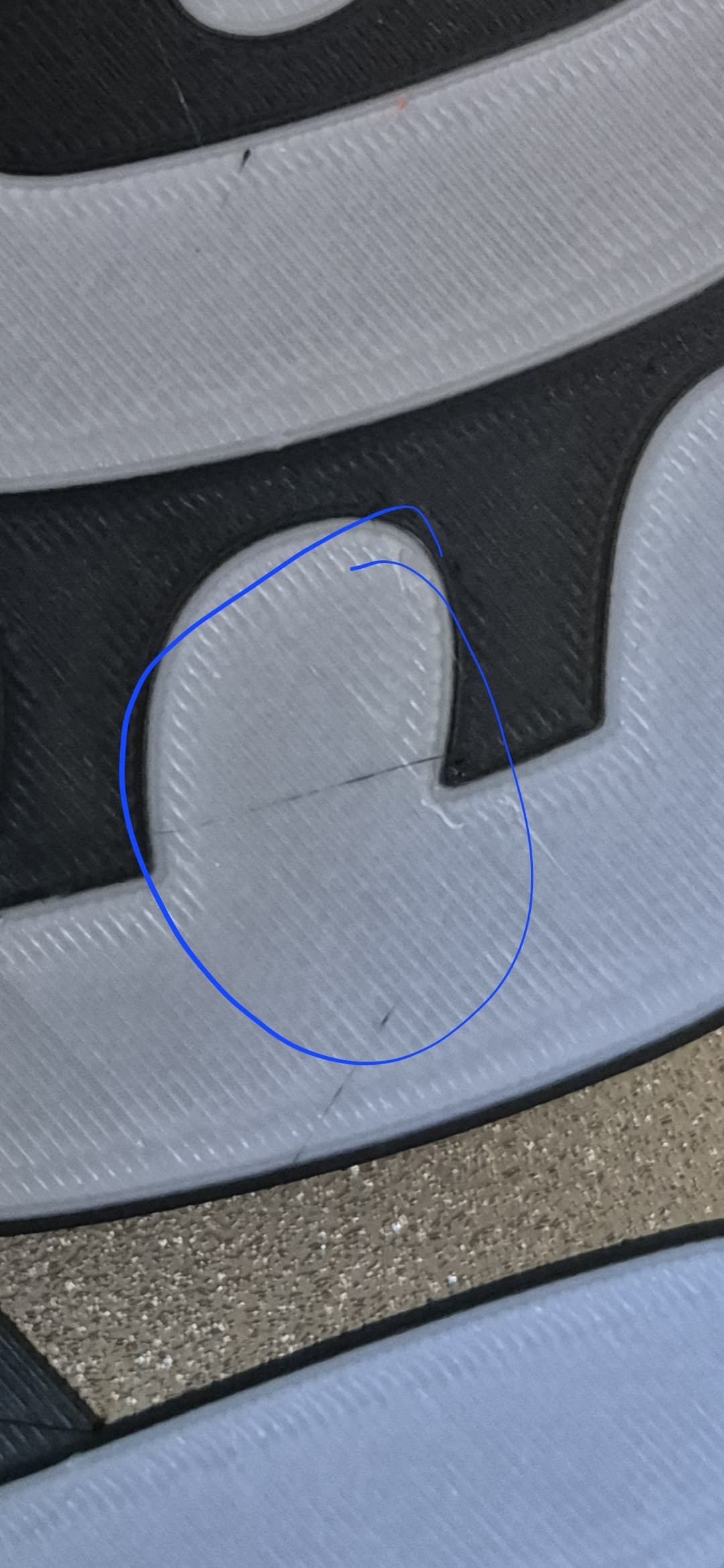
Nozzles will accumulate gunk on them one way or another, it could be anything from overextrusion to leaking from inside etc. The A1 wiper however helps w it a lot by cleaning much better than the stock one so these strings don’t get trapped inside (my assumption only)
It’s a cheap but powerful improvement for the x/p1 series when you just replace the stock siper w these 2nd gen ones
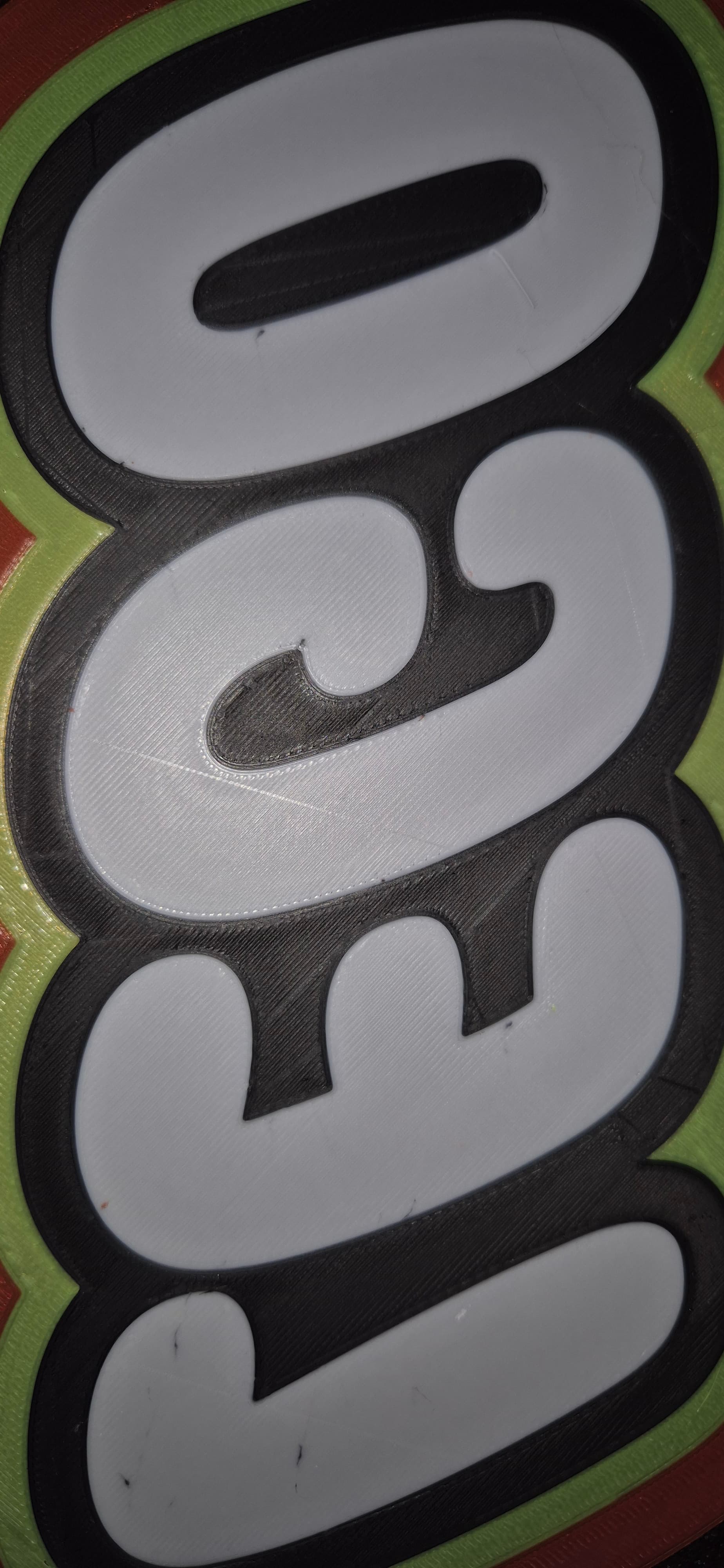
I am out of any suggestions tbh, lego should sponsor you w the amount of lightboxes you printed
Did you ever get this sorted? I’m having the same issue with any lightbox where there is black bordering white text. I’ve tested on both of my printers and both are doing the same thing. Like you I’ve printed about 50 different tests across multiple designs but I’m unable to get to the bottom of it.
have you tried the newest version of the a series nozzle vipers which I suggested on the previous entries in this post. Those usually (I would say almost 100% of the time but it wasn’t that in OP’s case) solve the stringing problem unless it is a filament issue (some brands string more than others)
I would like to offer some help/advice.
Like you im also struggeling with those black strings on while. There’s a few things you can try that helped for me.
- Avoid crossing wall on and set it to 1000% so it will take a long detour if needed
- Split you model into objects or else it wont see the edge of a color as a wall
- Flow rate at 1.04%
- Light to dark
- Turn off reduce infill retraction
This got me from stringing all the time to damn near gone without changing any parts on my A1.
Hope this helps you get better results.
The default setting of 0 on the Max detour length means that it will always make the detour within the wall perimeters no matter how long the detour vs the shortest travel line is so the default of 0 is the better choice than putting an astronomical percentage there 
yes that definitely helps with reducing the travel moves over other areas if you have disjoined/non connected sections with the same color since it will complete each sections walls and solid infill at once before traveling to the next object of the same color whereas if the disjoined/non connected areas are assembled it would travel to each one for the doing walls and then back to each when doing the solid infill. It will still travel over the other colors as it doesn’t see the wall borders of another color as “within walls” boundaries but there will be less of those travels.
Travel moves on example model all assembled:
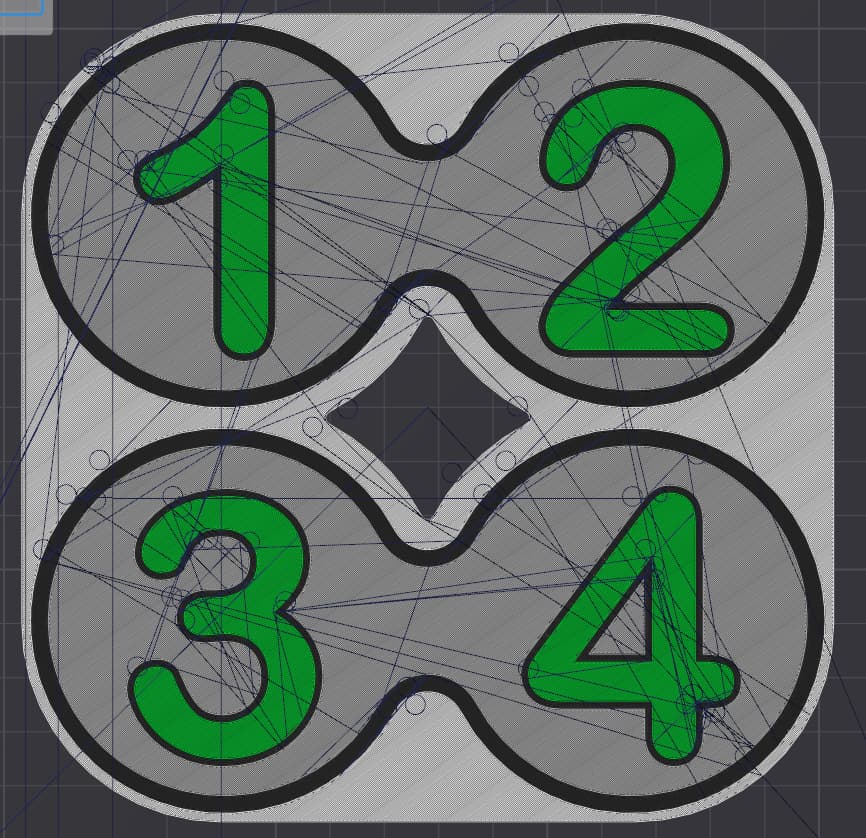
Travel moves same model split into individual objects:

however that can create a very long list of individual objects on some designs 
I thought that it said 0 disables this function as in then it ignore “avoid crossing wall” but now that i tried it i see that 0 or 1000 doesnt matter.
atm with a new roll of esun pla im getting perfect results on lightboxes with the settings i mentioned. With a roll of Kingroon and Polymaker black i did some some stringing now and then.
This may alos be caused by dust that builds up on the belts and carbon rods dropping onto the print. The more round spots look like ones I have been battling in my single color prints. The whisps do not so that may be a seprate issue.
I resolved the spots by wiping down all of the belts and the carbon rods with a microfiber cloth with some isopropyl alcohol sprayed on it. I did this on all 5 of my P1S that were having this issue and it has resolved it on all of them. Do NOT use a paper towel or it will leave paper residue on all the belts.
I am posting this in this old topic because I was looking everywhere for a solution to this problem and did not find a definitive answer anywhere.
I have the same issue… ruins a lot of animal prints with white/black in their eyes
Has anyone been able to figure it out. I just recently bought a Bambu Lab P1S and started having the same issue. I get so close but theres always some slight defect. Send help  Processing: VideoCapture_20250205-003719.jpg…
For anyone with this issue, you have two sets of things you need to do.
Prepare the build plate
- Remove the build plate from the printer
- Wipe off all obvious debris from the build plate
- Clean with warm/hot water, a hard brush and standard dish soap (no additives) and ideally using gloves or only touching the edges
- Repeat for other side
- Rinse thoroughly
- Dry the build plate with a lint free cloth
- Put back on printer
Set the filament order
- Locate the hex/cog icon on the right of the build plate
- Select it
- Locate the first layer filament sequence option and customise it
- Drag and drop the filament swatches, move the lightest colour to the left and gradually work your way up to the darkest on the right, for example black, yellow, white & red should be white, yellow, red & black.
- They do not need to be perfect, when you drag and drop, they actually swap positions, this means it will take a stupid amount of extra time, just keep at it until it has been ordered.
- Repeat steps 4 & 5 for the subsequent filament sequences which you set for layers 2 onwards.
The reason this helps is the filament swaps move between the closest colours possible and leave the darkest until last. This should reduce the potential for black (for example) to be dragged by white if any is left on the nozzle.
I will have to try this tomorrow, thank you!
if this was the solution, it was easy;) Not a starter here with 3d printing. But this doesnt help much…
But ofcourse thanks for your answer and idea!