Hi all,
“Resume from layer” has been requested here quite a few times (this thread, and this one). Until there’s an official option, I wrote a tool that does it, and I wanted to share it here in case it saves someone’s print.
What it is
Layer Rescue is a free, open-source (MIT) post-processing script for Bambu Studio. You slice the complete model as usual. Studio runs the script, a small window asks a few questions, and the G-code gets rewritten to continue from where the print stopped. Since it runs as a post-processing step, the result shows up in Studio’s preview before you send anything.
What it can do
- Resume with the printer still on. For a clog, a runout or a manual stop. You pick the last good layer, and it skips everything below. Z is never homed, and the startup routine runs without the bed leveling and the purge/wipe moves that would hit the part.
- Resume after a power loss or restart. The printer has lost its Z position, so you jog the nozzle down until it just touches the top of the part. It continues from there using relative Z.
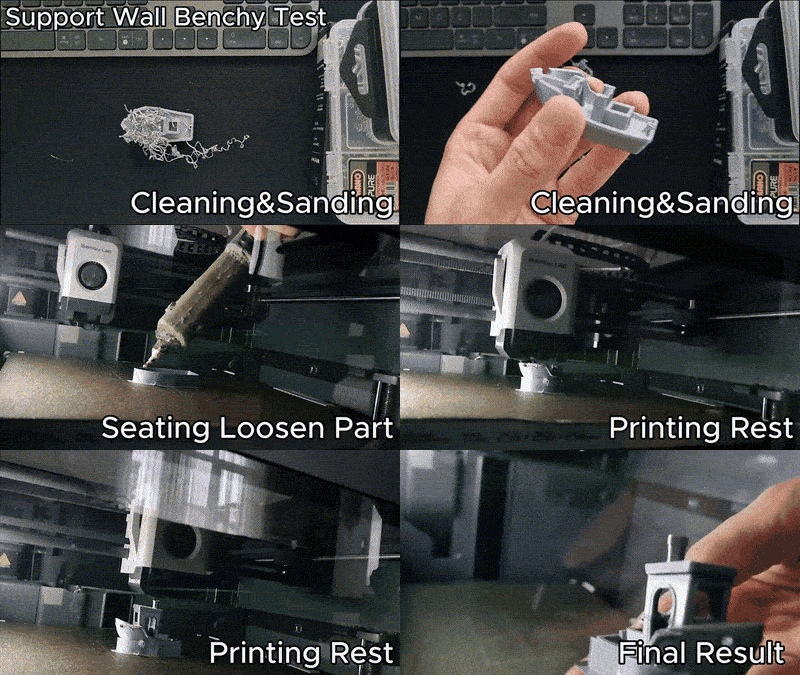
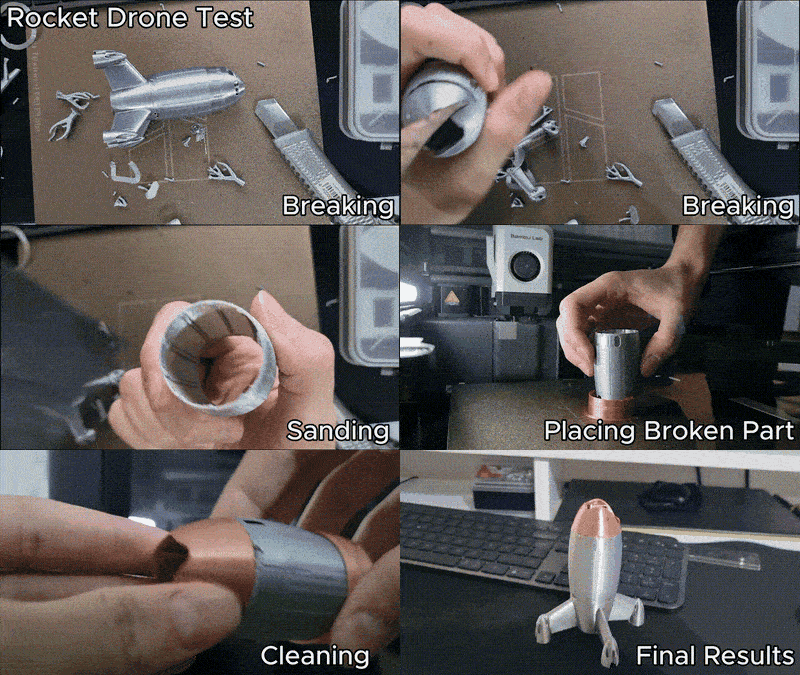
- Insert mode (beta), for a part that came off the plate or broke. It prints a low holding wall that follows the part’s sliced outline, then pauses. You place the part back in the wall, press resume, and it prints the missing section on top. If the upper section needs supports, it rebuilds them from the bed first, skipping the ones that would be in the part’s way.
Tested
Five real tests, all written up with videos:
- an LW-PLA plane part with a jam,
- a dragon with a power cut mid-print,
- a Benchy that detached,
- a drone body I broke on purpose (the GIF above),
- a multi-object plate where two of five parts got knocked off.
The write-ups also cover what went wrong. For example, I entered the wrong layer on the dragon, and the Benchy slipped without glue.
Limits, so nobody gets surprised
- I’ve only tested on a P1S. Other printers and AMS/multi-filament prints may well work, but they’re untested. The app tells you this and makes you accept the risk before continuing.
- You’ll always see a seam line where the print resumes. With the correct layer it’s strong enough in my tests, but entering a layer that’s 2–3 off is clearly visible.
- In insert mode, how well a part sits in the wall depends a lot on its shape. Parts that widen towards the top may need a bit of hot glue on the outer side.
Getting it
Windows and macOS installers are on the releases page, or you can install with pipx install layer-rescue. The README explains how to add it to Studio’s post-processing scripts.
Feedback is very welcome, especially from X1, A1 and H2D owners, and from anyone using AMS. If something breaks, please open an issue with the sliced file, and I’ll take a look.